 Loyal Receptionist
Analytics
Two cards. Both fall out of Smart Dispatch. No tracking pixels, no marketing dashboards — just the numbers that change how you run your week.
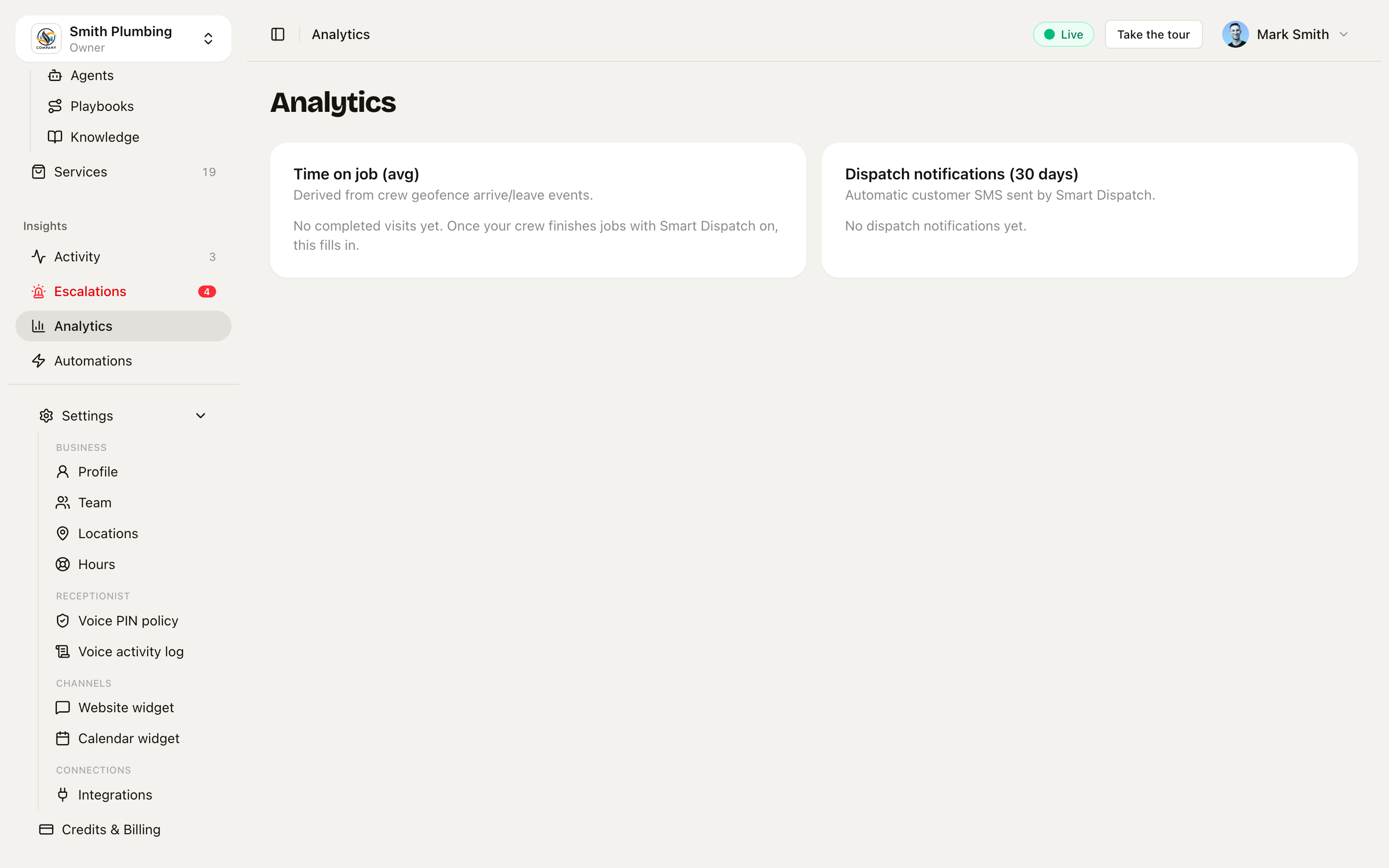 Time on job and dispatch notifications, both fed by real geofence events.
Time on job (avg)
For every completed visit (a member crossing the geofence boundary, then leaving) we compute left_at - arrived_at. The card groups by service and averages.
| Service | Visits | Avg minutes |
|---|---|---|
| Boiler service | 12 | 47 |
| Emergency callout | 4 | 92 |
| Annual gas safety | 6 | 34 |
What it's good for:
- Re-pricing services that take longer than you charge for
- Calibrating the AI's slot-length picks (so an "emergency callout" doesn't get booked as a 30-min slot)
- Identifying outlier engineers (someone consistently 2× slower)
Empty state: if your crew haven't completed any visits, you'll see "No completed visits yet. Once your crew finishes jobs with Smart Dispatch on, this fills in." Get the Crew PWA installed on at least one engineer's phone and the numbers populate within hours.
Dispatch notifications (30 days)
Every dispatch text that actually went out is counted — the automatic geofence and late-predict texts plus the manual "On my way" button texts. Texts suppressed because the contact opted out (replied STOP) are excluded. The card breaks down by kind:
| Kind | What it means |
|---|---|
on_the_way | "We're on the way" — fired when the previous geofence is exited, or from the On my way button (that one carries a real driving ETA + tracking link) |
running_late | "Running about 15 min late, sorry" — fired by the late-predict worker |
arrived | "Smith Plumbing has arrived" — fired on geofence entry (off by default) |
job_complete | "Job done — invoice on the way" — fired on completion (off by default) |
on_the_way and running_late are on out of the box; arrived and job_complete are opt-in — see Smart Dispatch for the toggles and wording.
This is the headline number for moat #2 — every running_late notification is a customer who would have left a 3-star review on your Google profile, and didn't. And every on-my-way text is an arrival window being narrowed from "afternoon" to "about 25 minutes away".
Quote win rate
Last 90 days. One number, and at most one sentence telling you what to do about it.
A quote counts as decided when the customer accepted it, declined it, or went quiet for a month after you sent it. Silence is a loss. Counting only the explicit declines would flatter the number into something you cannot act on.
The nudge appears only once you have ten decided quotes, because below that a percentage is noise:
- Above 80 percent: you're winning nearly every quote, your prices may be too low. Winning everything means you left money on the table each time.
- Below 25 percent: price, speed, or follow-up? Those are the three things that actually move it, in that order of how often they are the cause.
- Between the two: nothing. A healthy middle needs no comment.
The per-service split underneath is where the answer usually is. One service losing badly while the rest are fine is a pricing problem on that service, not a problem with your quoting.
What you quoted vs what it took
From the crew's own clock, not the geofence. Planned is the time you put in the diary; actual is what the timer recorded. Hidden until a service has three completed jobs, because one bad day is not a pattern.
A service that runs 27 percent over on six jobs is not bad luck. It is a price that needs changing, or a checklist item you are missing. When a job runs over, the app asks why in one tap, and after two jobs with the same reason it offers to add the matching question to that service's Before you price list. That is the loop: it took longer, you said why, the next quote asks the question.
What's missing (deliberately)
- Funnel analytics — call → booking → completed → invoiced. Phase 6.
- Revenue charts — Phase 6.
- CSAT scores — we have sentiment per call already (see
/docs/conversations-and-activity) but rolled-up CSAT is Phase 6.
We are deliberately not building "vanity metrics" (page views, time-on-app). If a number doesn't change a decision, it doesn't get a card.
API access
Every metric is also available as JSON:
GET /api/v1/analytics/time-on-job
GET /api/v1/analytics/quote-win-rate
GET /api/v1/analytics/dispatch-notifications
Auth + org-scope same as the rest of the API. Use these if you're piping into a BI tool — Metabase / Hex / Looker work out of the box.