 Loyal Receptionist
You should not have to write a checklist for an MOT or a boiler service from a blank page. The Library holds a book for each kind of thing you work on: a car, a gas boiler, a pergola, a fence. We write the books and keep them up to date. Your services use them.
What a book holds
- Checks. The questions to answer on the thing, for example the tyres, the brakes, the flue.
- Facts about the thing. A fact decides which questions you see. An electric car gets no exhaust question. When we do not know a fact, you see the question.
- Journeys. The steps a job goes through, for example Booked, Checked in, MOT result, Ready, Handed back. A step can be a check. That step is reached when the check is finished.
- Parts. What to order when a check finds a problem.
Which book a service follows
Open a service and look at What it is about.
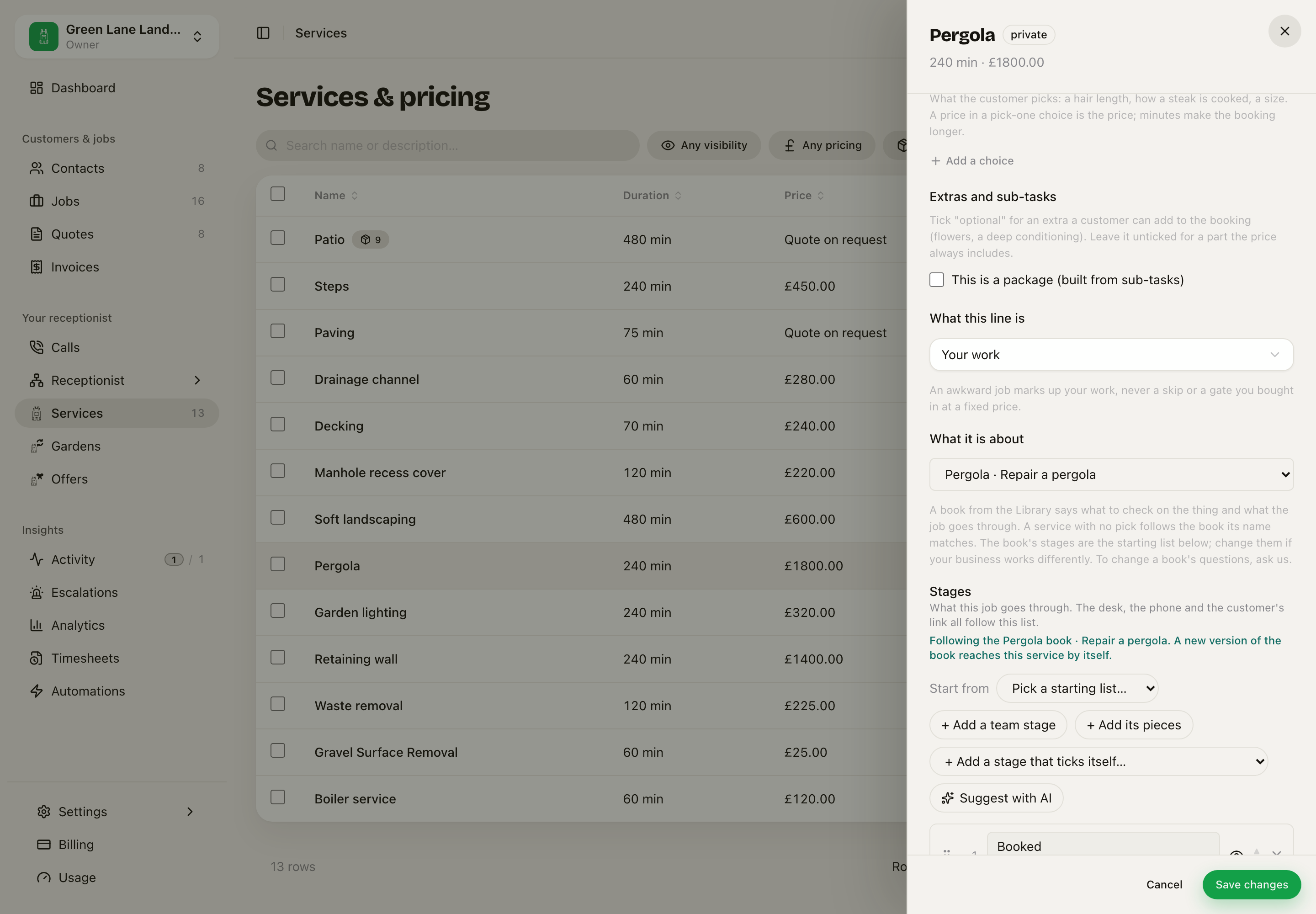 The Pergola service follows the Pergola book, Repair a pergola.
- Matched by its name is the default. A service called "MOT" follows the car book's MOT journey without you doing anything. The choice shows what its name matched, or that no book fits.
- Pick a book and journey to choose one yourself.
- Pick Not from the Library to use no book.
Under Stages, a line says which book the service follows. When we publish a new version of that book, your service gets it by itself.
Your own steps win
If your business works differently, change the steps on the service. Then the service keeps your own list, and a new version of the book does not change it.
To follow the book again, press Back to the default. It asks first and says what will change, because your own steps are removed.
The order is always:
- Your own steps on the service.
- The book the service follows.
- The pieces of a package.
- The usual steps for your kind of business.
Ask for a change
You do not edit a book. If a question is wrong or missing, open the check on a job and press Ask for a change to these questions. Say what you want. We read every request and answer it where you asked. If we agree, we change the book, and every business that uses it gets the change.
Parts to order
When a check finds a problem that needs a part, the job shows Parts to order. Each part says what it is for and how many.
- Type your supplier's email. It is kept for next time.
- Press Send 2 parts to the supplier (the button counts the parts). The supplier gets one email with the list.
- Press Arrived on each part when it comes in.
When every part has arrived, the job reaches the Parts arrived step, if its steps include it.
Books for clinics
A book for clinical work is not published until a reviewer at a pilot practice signs off that exact version. A new version needs a new sign-off.
Related: Pieces and plans, Checks and findings, Where it is up to.