 Loyal Receptionist
This page is for a restaurant, a café, a pub or a caterer. Other businesses can skip it. A plumber who sells a part with a job uses the same idea, called an extra: see Agents & services.
Your menu
Go to Services. A food business has two tabs: Bookings (your tables, by meal) and Menu (your dishes and drinks).
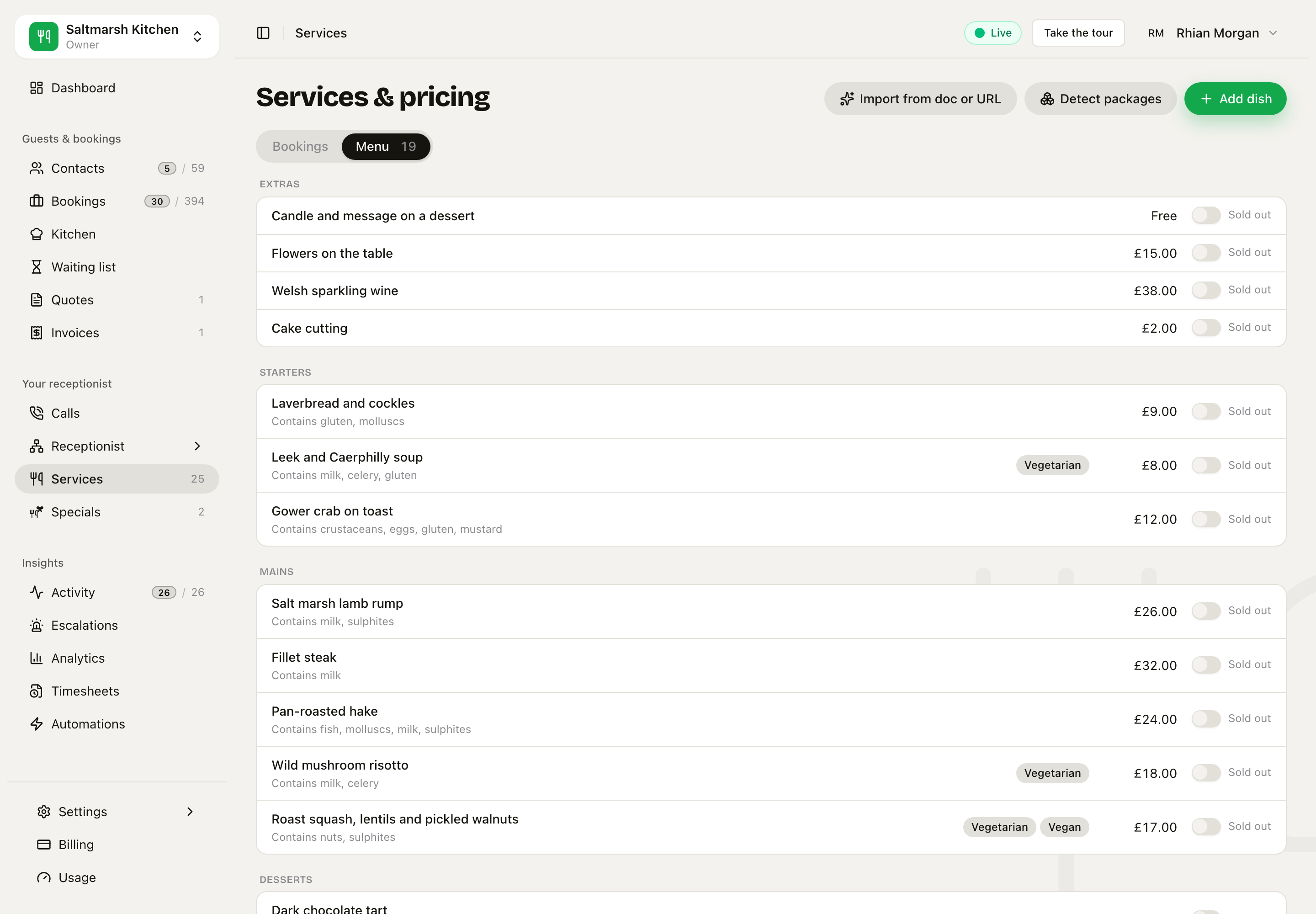 The Menu tab, grouped by course. Each dish says what it contains.
Click a dish to see it. Click Add dish to add one.
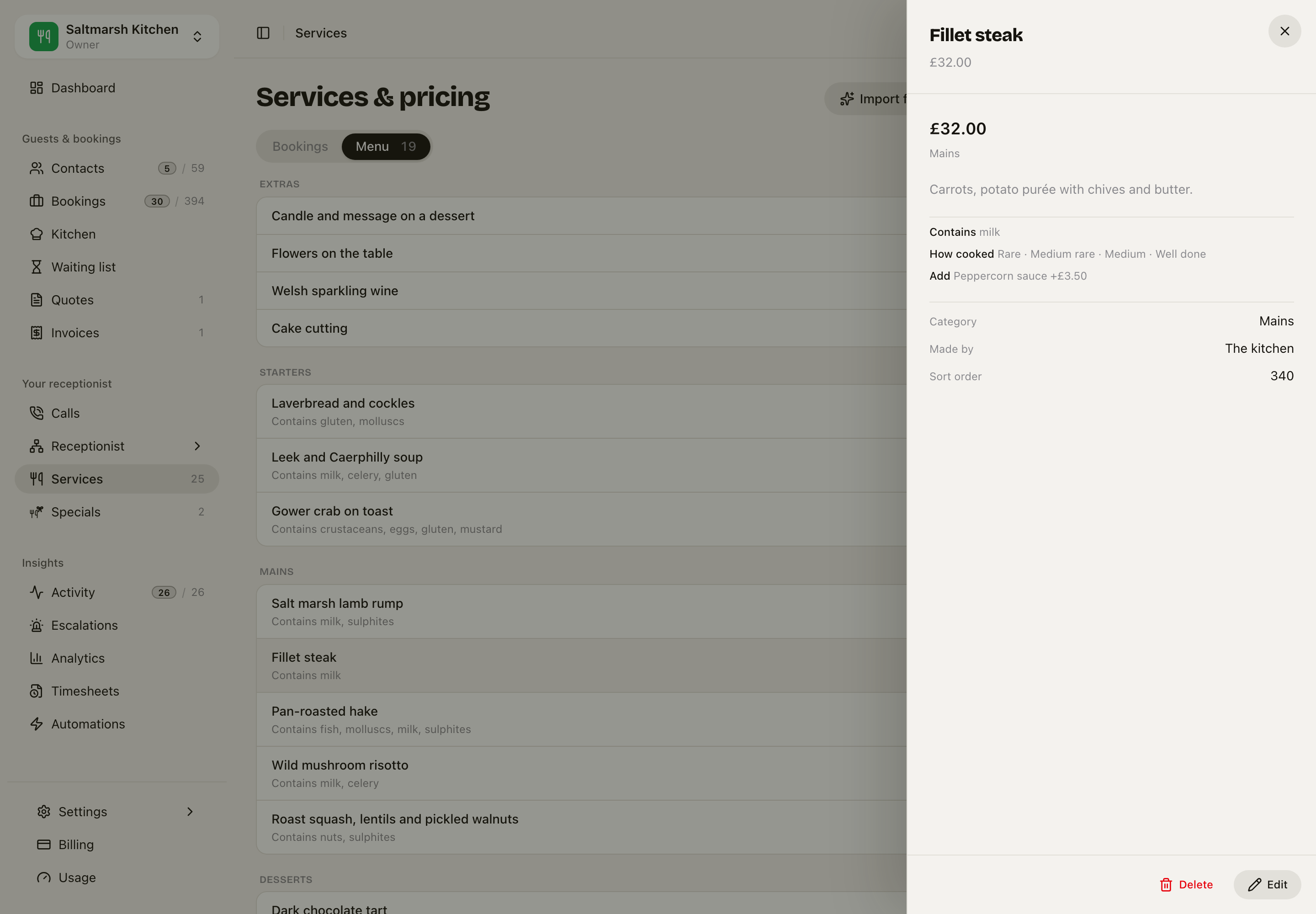 A dish: its price, what it contains, the choices a guest makes, and who makes it
Each dish has:
- A price. A choice can change it. A pick-one choice (a size) sets the price; a pick-many choice (a sauce) adds to it.
- Contains. The UK list of 14 allergens. You type these yourself, or they come off your printed menu on import. The AI never fills them in.
- Labels, for example vegetarian or vegan.
- Choices, for example how a steak is cooked. A choice the guest must make is asked before the order is taken.
- Made by: the kitchen or the bar. This decides which tab of the kitchen screen shows it.
- When it is served, if it is not all day (a Sunday roast only on Sunday).
- Sold out today. One switch. Sarah says it is sold out, and nobody can add it.
Sarah reads the menu from this list. She says what a dish contains. She never says a dish is free of something, because the kitchen may still handle it.
Orders to collect
Turn on Takes food orders on a service (for example Collection). Then:
- the booking page shows Order to collect beside Book a table
- Sarah can take an order on the phone
- each order gets a number, for example Order 21
- Orders at once sets how many the kitchen can make in the same 15 minutes. When it is full, the next time is offered.
Paying for food orders is on Settings › Hours. Below a limit you set, the guest pays on collection. An order the guest must pay first reaches the kitchen only after it is paid.
The kitchen screen
Kitchen in the sidebar. It shows today's tickets in three columns: New, Cooking and Ready.
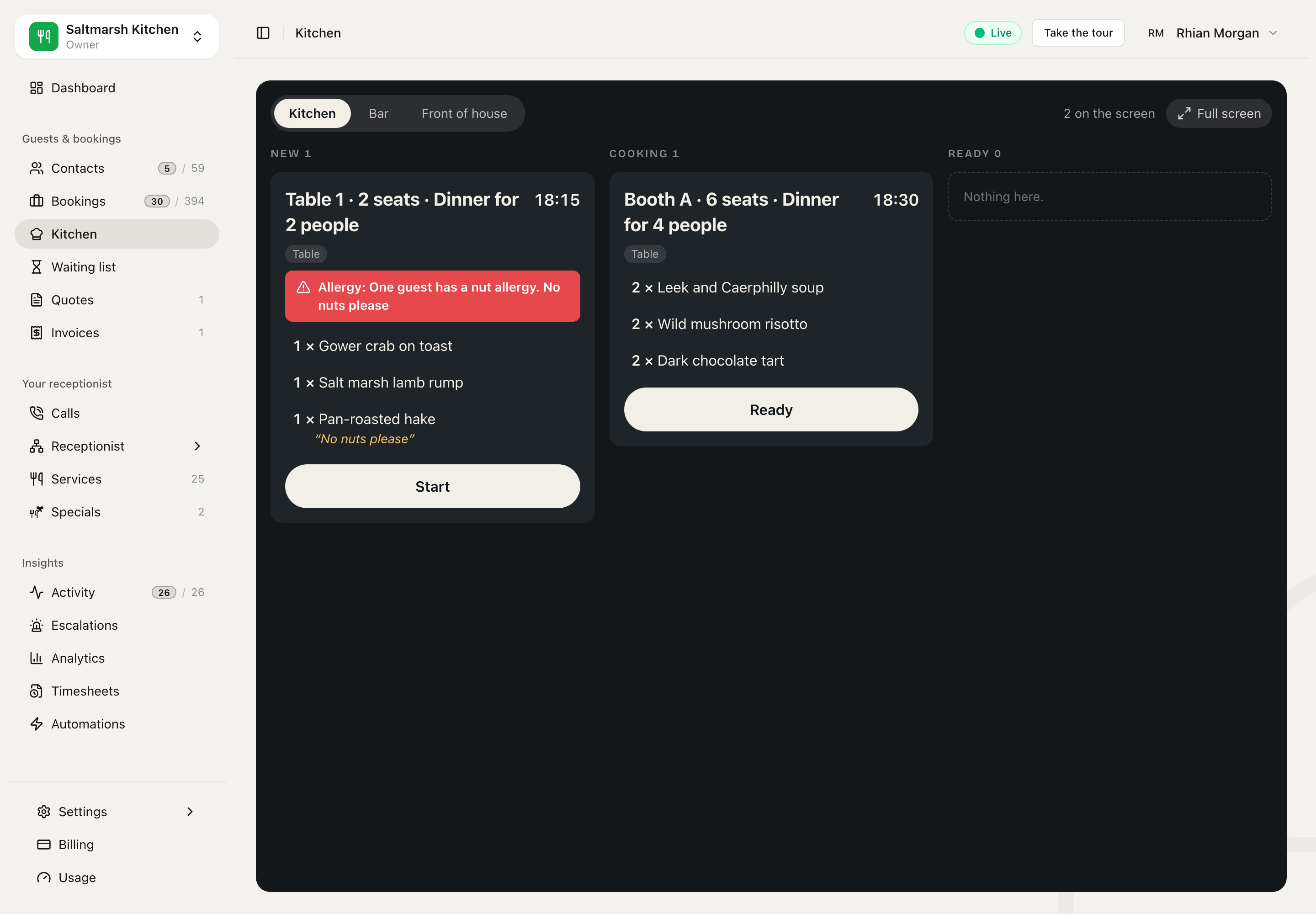 Two tickets. The new one has an allergy warning from the booking and from a dish note.
- Kitchen / Bar / Front of house tabs. Each place keeps its own progress, so the bar can pour the wine while the kitchen still cooks the steak.
- A ticket names the table (or the order number), the time and each dish with its choices and note.
- Allergy shows in red when the guest's own words mention one, on the booking or on a dish.
- The button moves the ticket on: Start, Ready, Collected. Tap a dish to tick it as plated.
- A ticket waiting too long turns amber, then red.
- A short sound plays when a new ticket arrives.
- Full screen fills the whole display, for a tablet on the kitchen wall. Add
?wall=1to the address to open it like that. - When every place has an order to collect ready, the guest can get a text. Turn it on in Settings › Hours.
The kitchen screen never changes a price or the booking's own status.
Add to the table, on the phone
A waiter opens the table's booking in the phone app. The booking shows At the table while the guests are in, the host, and the dishes so far with a total.
A table booking: the dishes, the note on the hake, the total, and Add to the table
Tap Add to the table, pick the dishes, then Send to the kitchen.
Pick dishes from the menu. A dish not served at this time is greyed out.
- The dishes go to the place that makes them: food to the Kitchen tab, drinks to the Bar tab.
- The bill on the booking grows by their price.
- The phone says where they went: Sent to the kitchen and the bar.
- The history shows Added to the table with the dishes and the price. Taking a dish off shows Taken off, and the bill goes down.
- The owner can tap Host to give the table to somebody else.
This is not a till. It does not split bills, take tips or print.
When a table stays longer
A restaurant does not bill a guest for extra time at the table. So the invoice never offers Extended work, and never asks why a booking ran over. That is for trades, who charge for their time.
Related
- Public booking: the booking page, with Book a table and Order to collect.
- Locations & venues: your tables as bookable things.
- Agents & services: the service form and Fill with AI.