 Loyal Receptionist
A homeowner rings and asks what their house is worth. Sarah takes the address, asks only what the records cannot tell her, and texts a report in your colours. It shows what homes near them really sold for. Its next step is a free visit from you.
You get a named lead with a home attached. After the visit you sign a figure, and the seller gets the same report back, signed.
Watch one home go from the first call to a listing: the call, the estimate by text, the visit, the signed figure and the papers.
From a call to a listing (7 min). Example business and callers; the calls were voiced after filming.
Switch it on
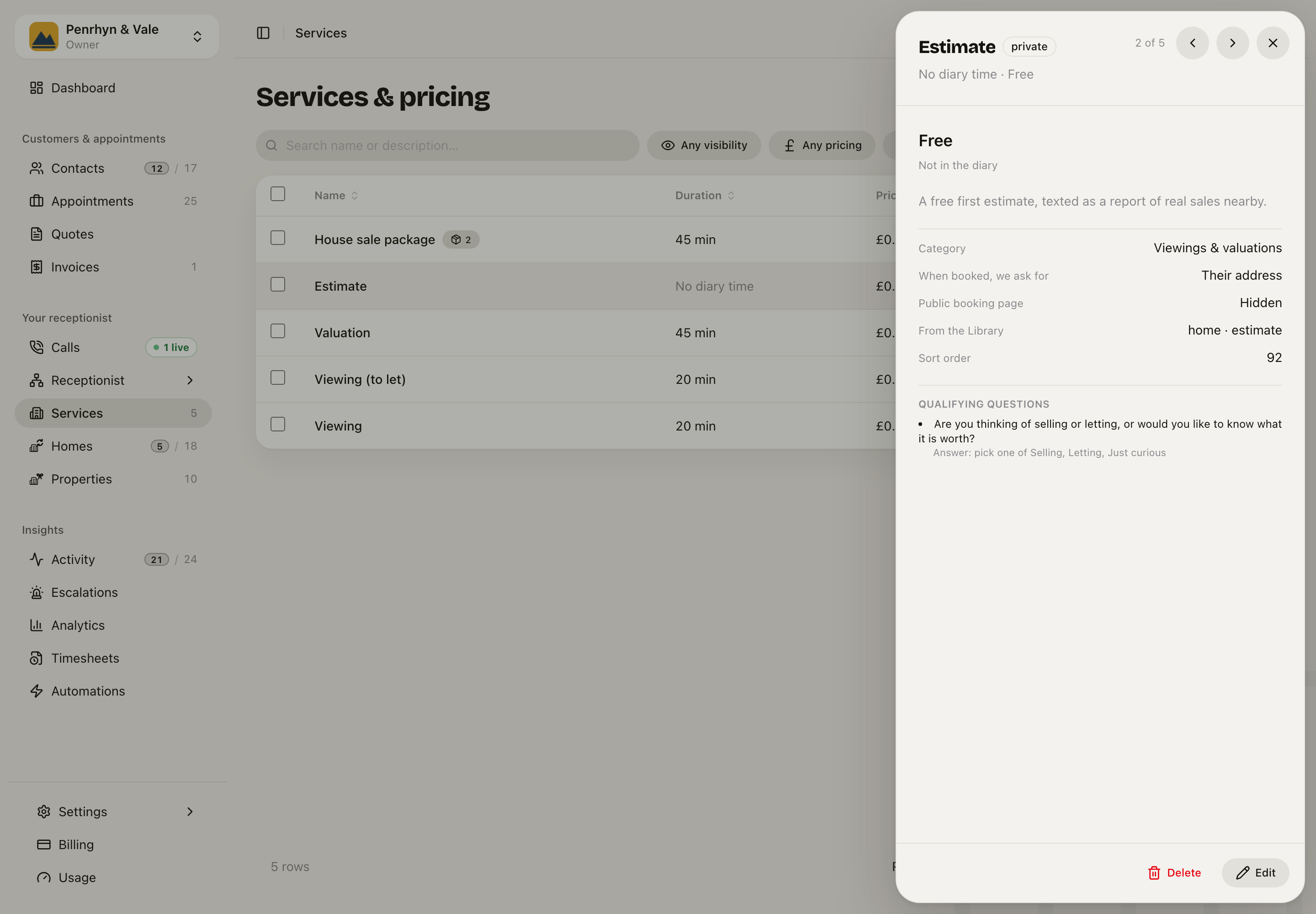
On Services, open Add service and pick A free first estimate. It adds an Estimate service and a House sale package. If you already have a valuation service, it uses that one, so you do not get two.
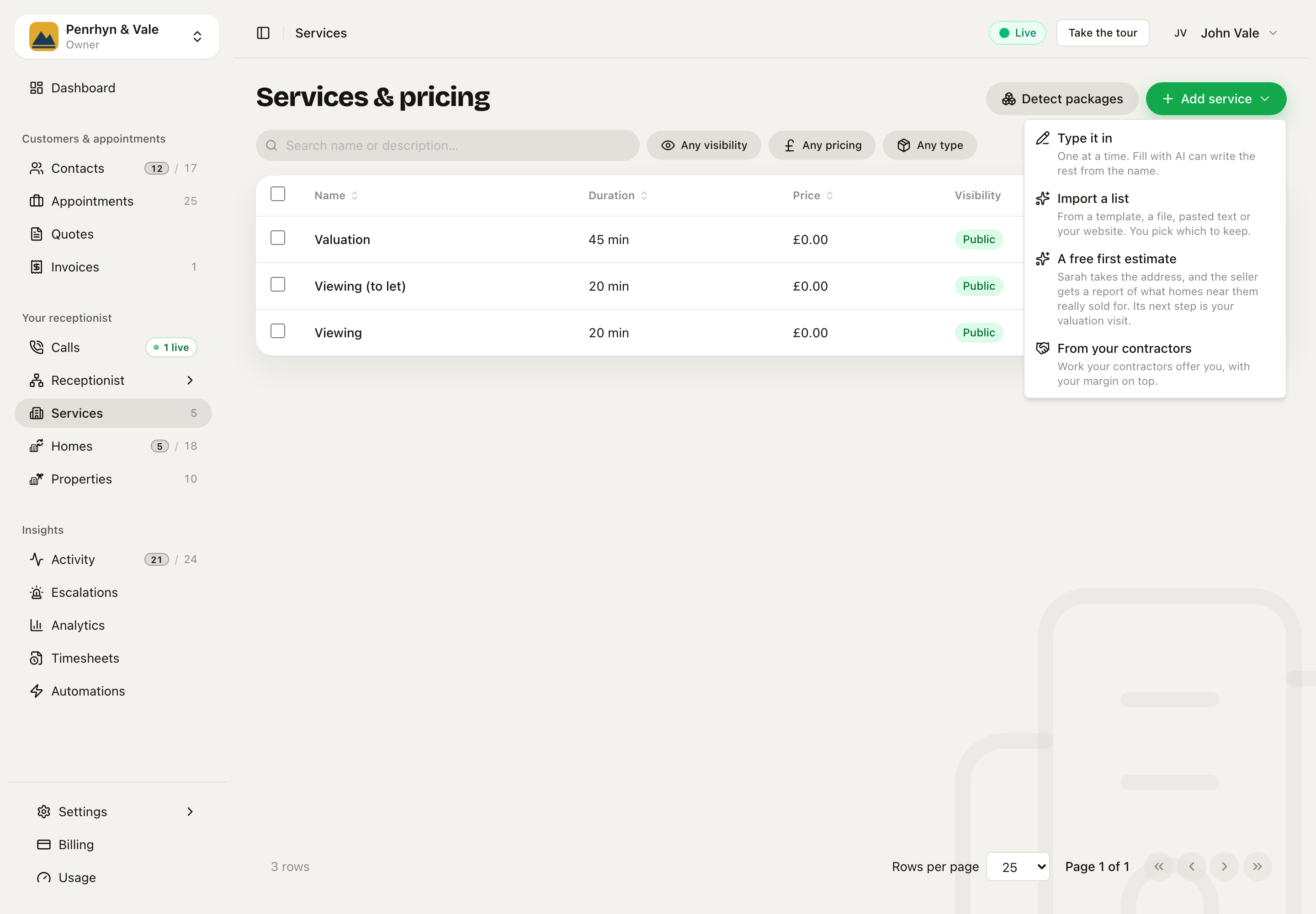
The Estimate takes no time in your diary. It is not on your booking page by itself. A customer who books the package from your page books your visit, and gets the estimate too.
What happens on a call
- Sarah takes the address and looks the home up.
- She confirms the kind of home in one short line, and asks about bedrooms, bathrooms and any big work.
- She has no figure, because the report does not exist yet. If the caller pushes, she says it is on its way, with the homes behind it.
- The report goes by text. The text has no figure in it, because a family can share a phone.
- She offers your visit.
If the same person rings back from the same number, Sarah can tell them what their report says. She knows every job in their task. A stranger asking about the same address gets no figure.
The report
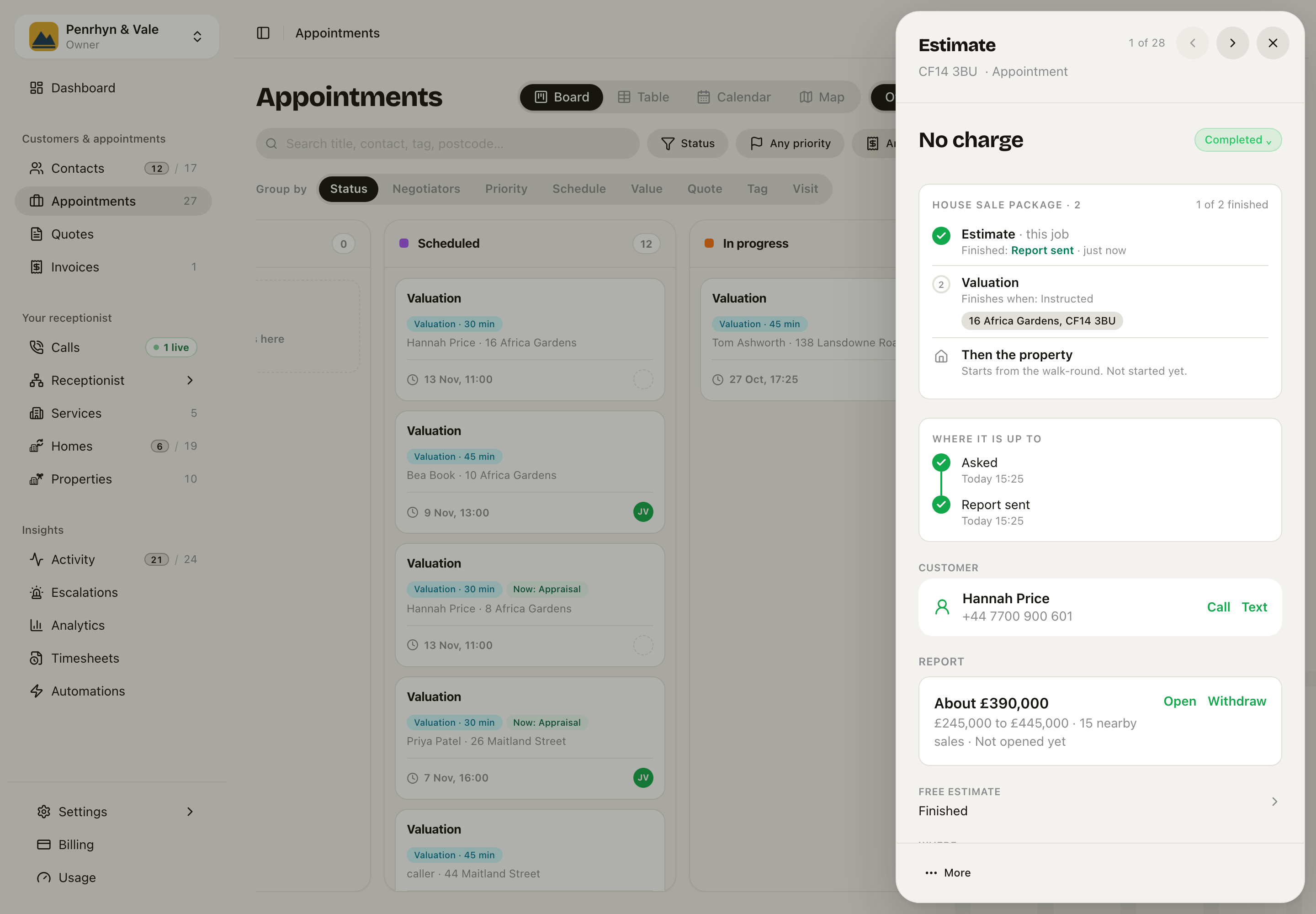
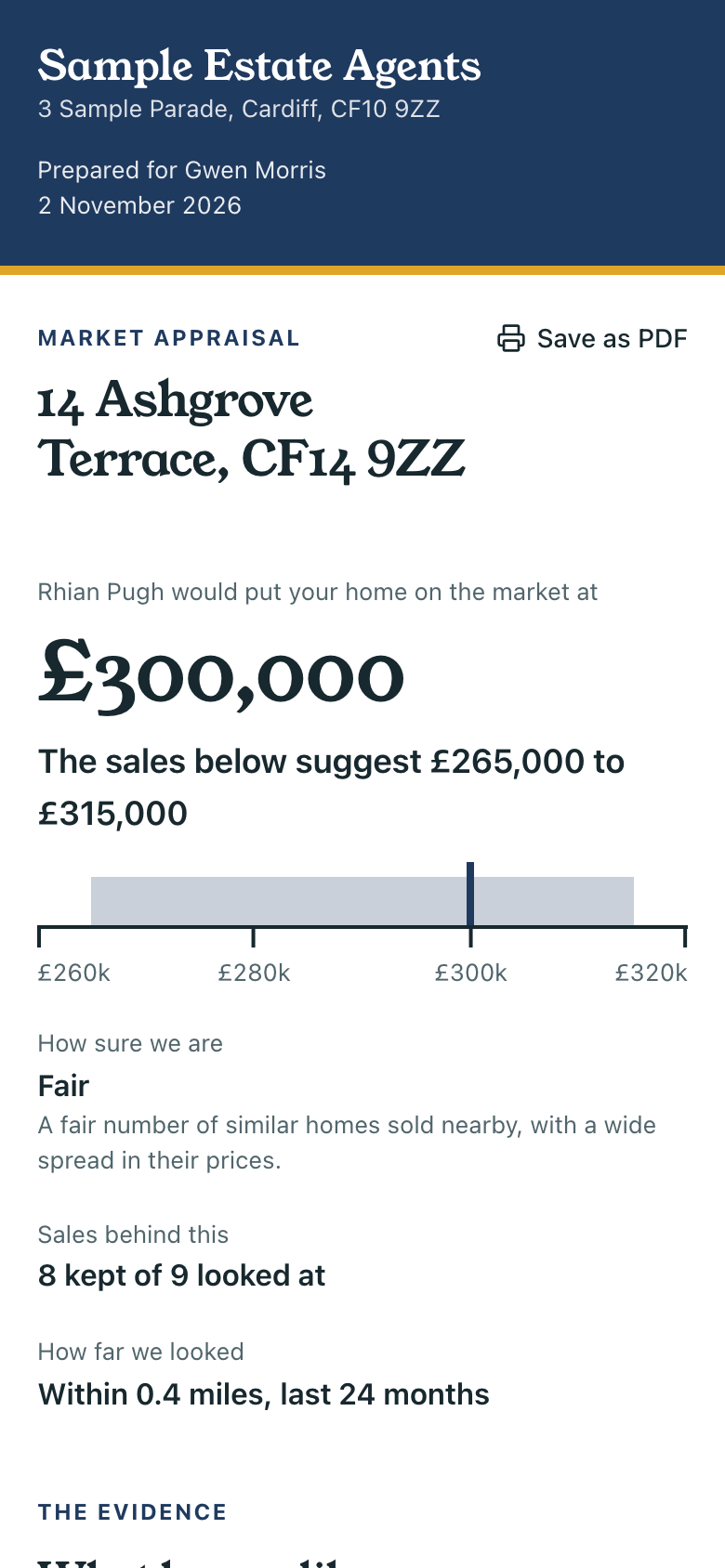
The report reads like a document with your name and colours at the top. It shows a likely figure on a scale, how sure it is, each real sale in a table with a numbered map, the sum behind the figure, what the records say, and what could move the price. It says clearly that nobody has seen the home and that it is not a RICS valuation.
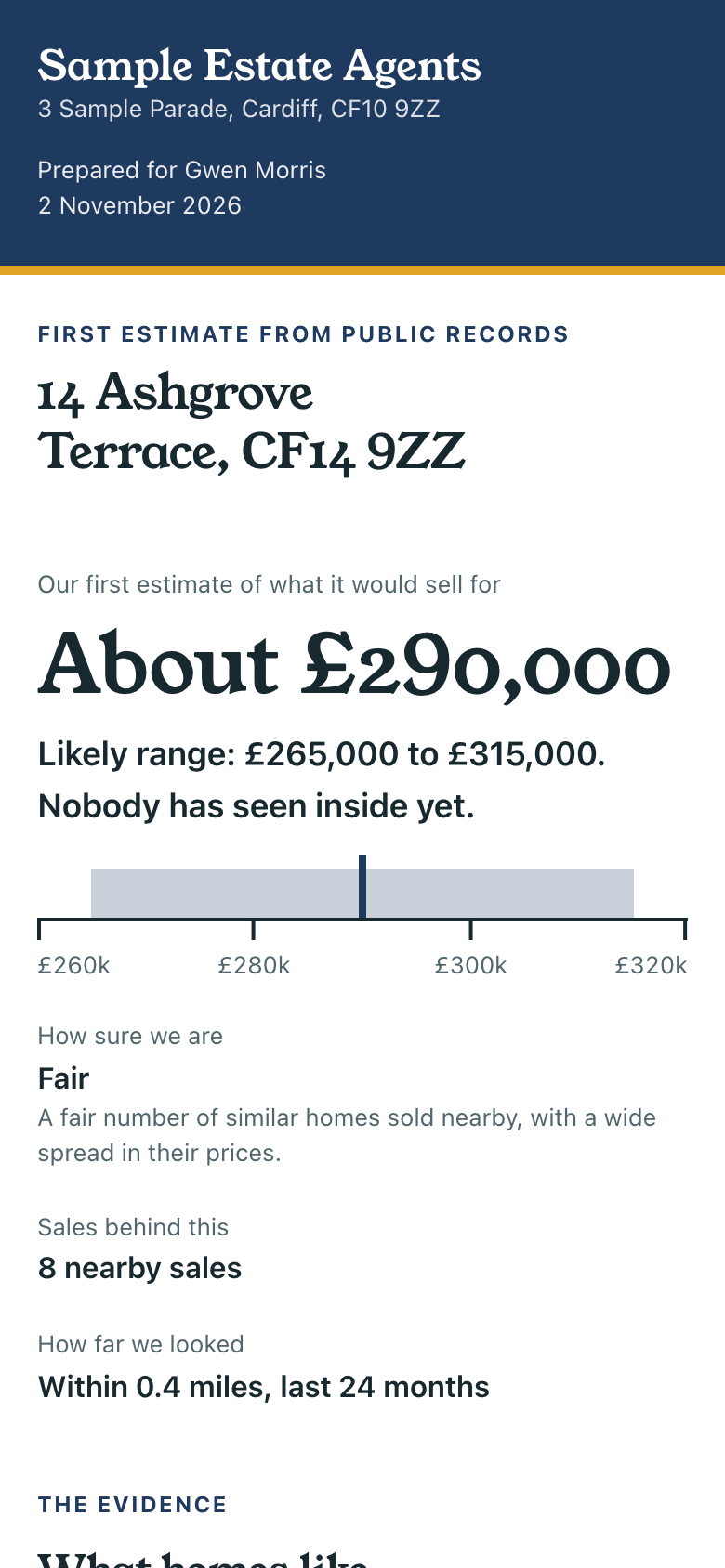
If too few homes sold nearby, it gives no figure. It says so, and offers your visit. A figure from three odd sales would look more certain than it is.
To take a report back, open the Estimate job and press Withdraw. The link then says it was taken back, and Sarah no longer has the figure.
To see which page a service sends, open it on Services and read The report they get. Press Edit to change it. You only see pages that can show that service's check. A link you already sent keeps its page.
How good is the figure?
It is a first estimate. It knows nothing about the condition of the home, the kitchen or the view.
We tested it on 170 real sales across six areas, using only what was known the day before each one sold. The median miss was about 12%. Two in three landed within 20%. So treat it as a way to start a conversation. The figure that counts is the one you sign.
A sale far from the others nearby, such as part ownership or a family sale, starts left out. On the visit you can tick it back in.
Your visit
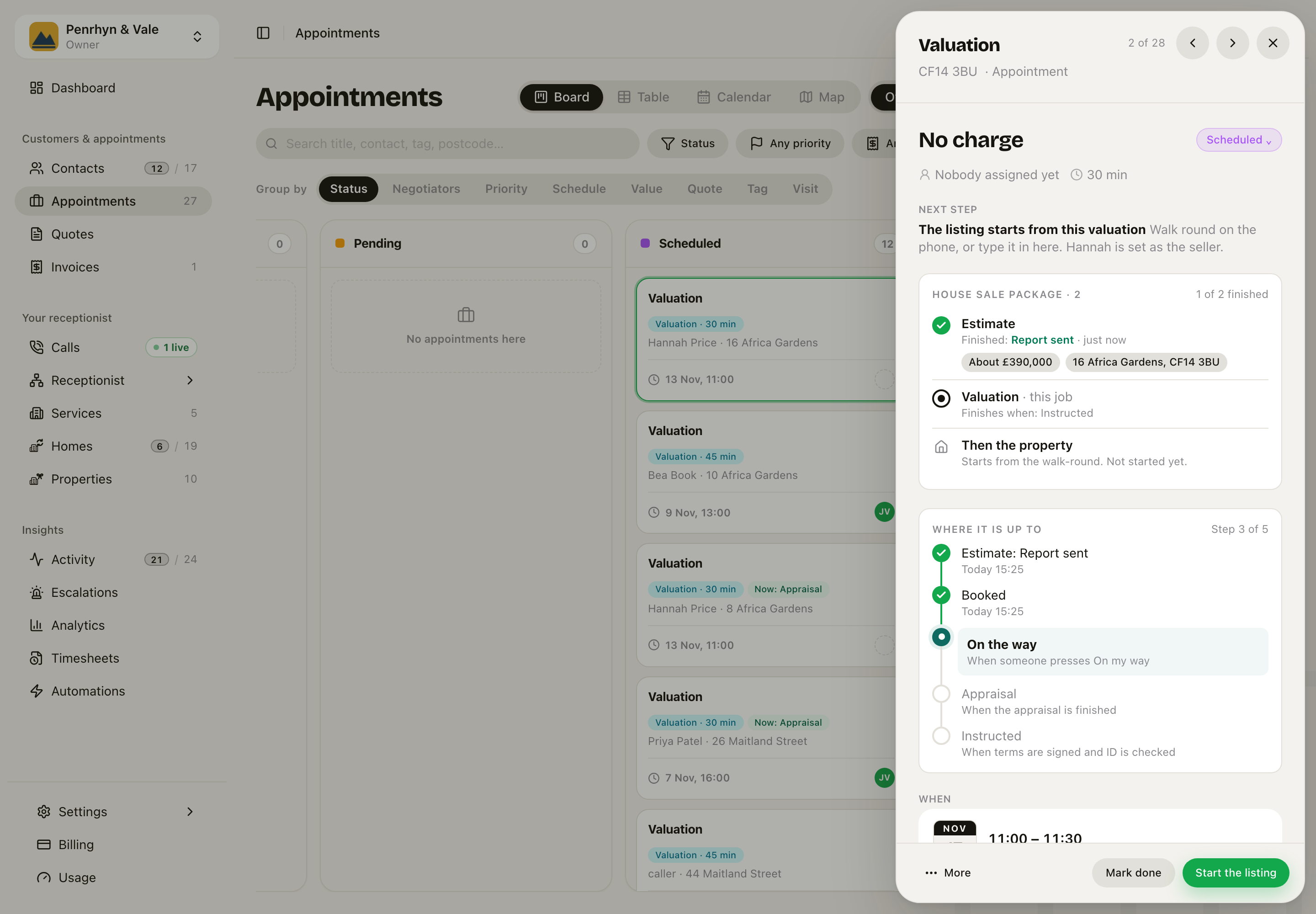
The visit is an ordinary appointment, linked to the estimate. The row above shows what the seller was told. Open Appraisal and you see the sales nearby.
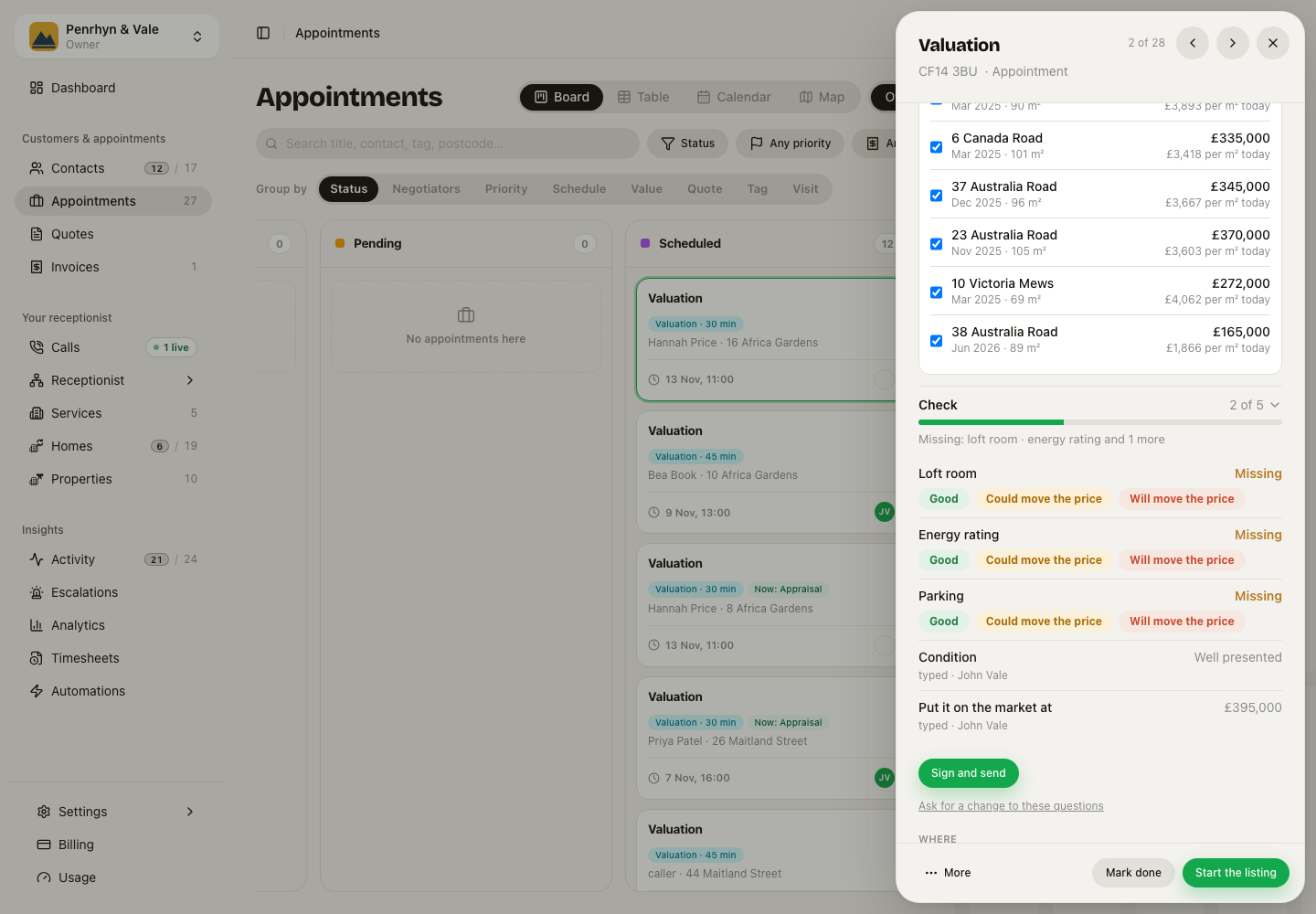
- Tick off any sale you would not stand behind. The sum follows.
- Pick the condition. It moves the sum by a set percentage, once.
- Set your own figure in Put it on the market at. Nothing is signed until you do.
- Press Sign and send. The seller gets the signed report, with Go ahead and Remind me in 6 months.
Go ahead opens the link where they send you the papers. Remind me in 6 months adds a reminder on the home, and we text them when it comes round. Once signed, a report cannot change.
After the visit
Your walk-round writes a draft listing. The listing carries on through its own stages, so there is no second job to keep up to date. The sheet shows what the valuation said.
If the seller says no, open the visit, press More, then Did not go ahead, and pick a reason.
See what it brings in
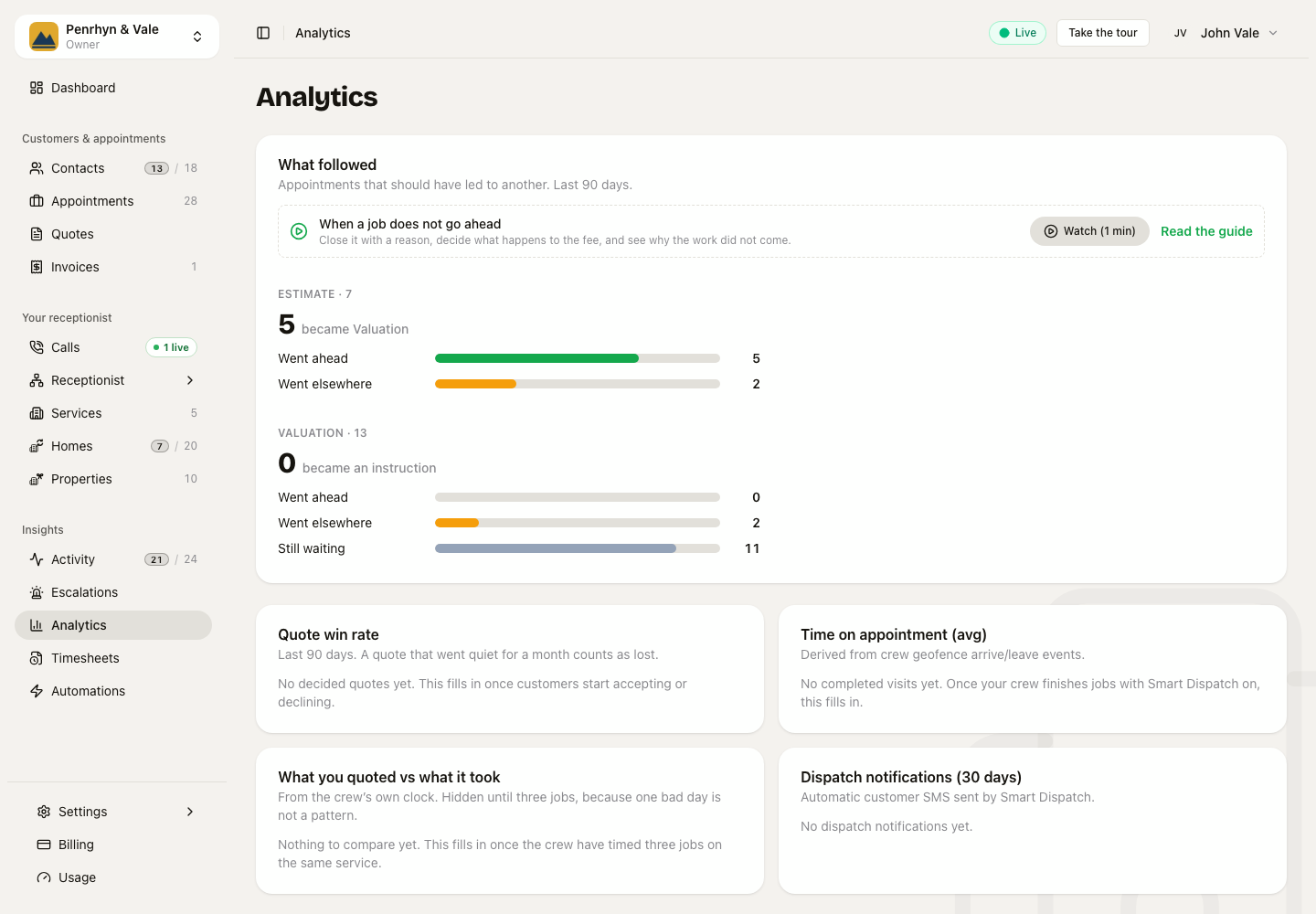
Analytics shows how many estimates became visits, how many visits became instructions, and how many of those sold. It counts instructions, not listings, because a walk-round writes a draft listing after every visit.
For a garage
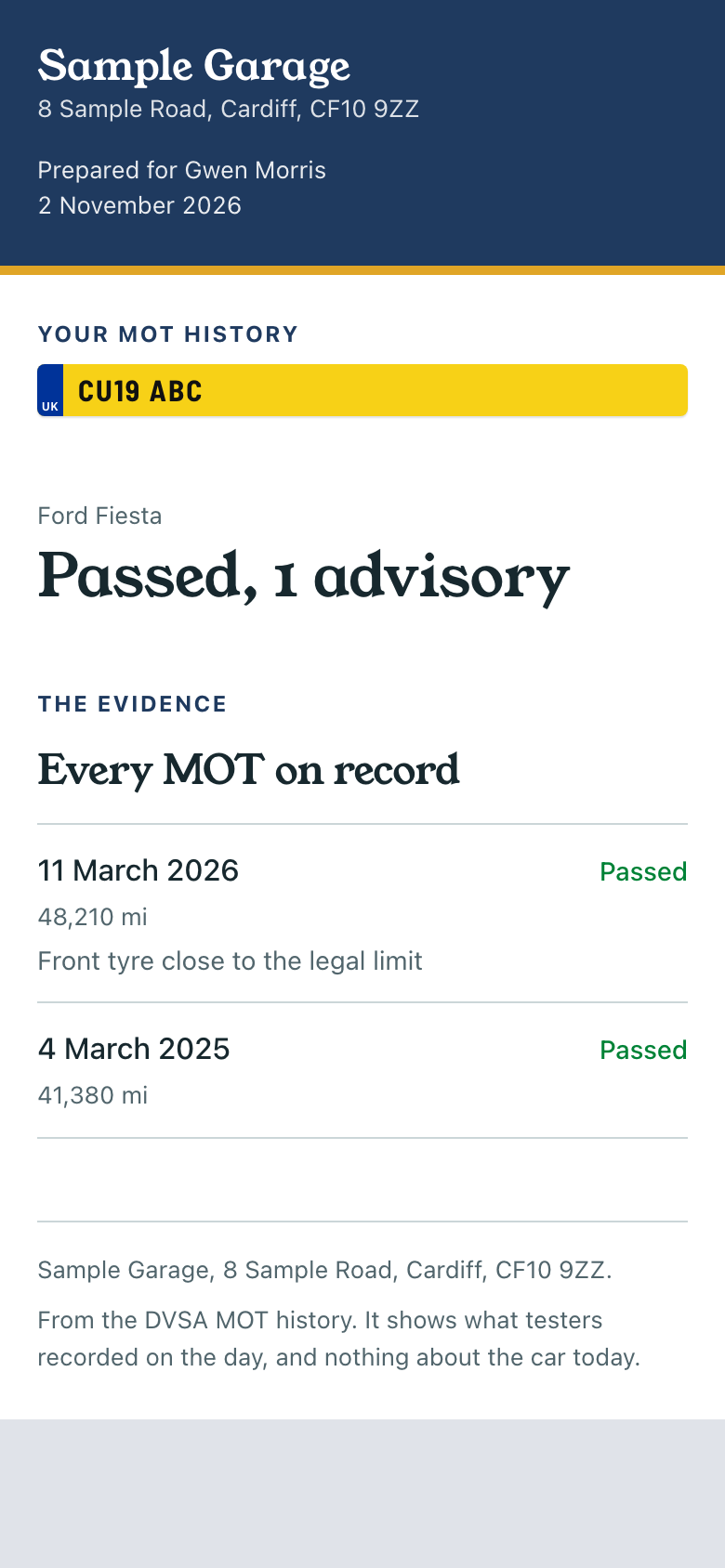
The same thing works for a car. On Services, open Add service and pick A free MOT history. Sarah takes the registration, and the caller gets every MOT, fail and advisory by text, with a button to book the next one.
Where the data comes from
- Sold prices: HM Land Registry, England and Wales. It runs about two months behind.
- Size and energy rating: the EPC register.
- Moving a price to today: the UK House Price Index.
- Flood risk: the Environment Agency in England and Natural Resources Wales in Wales, for rivers and the sea, around the postcode.
- MOT history: the DVSA.
A home in Scotland or Northern Ireland gets no figure, because these registers do not cover it.