 Loyal Receptionist
A customer says "that scratch was not there before". Now you can open both photos of that side and see. You get the photos from one walk round the car, with no list to fill in.
Today this is set up for garages. It works with no signal: the walk stays on the phone and sends when the phone can reach the server.
Still being tested
Walk round in four steps
- Open the job on the phone and press Check the car in.
- Choose Guided at the top, and start the film. Pro just records, with no ring.
- Film a number plate first. A white plate says you are at the front and a yellow plate says you are at the rear, so you can start at either end.
- Walk all the way round the car and talk about what you see. Press stop, or say stop video.
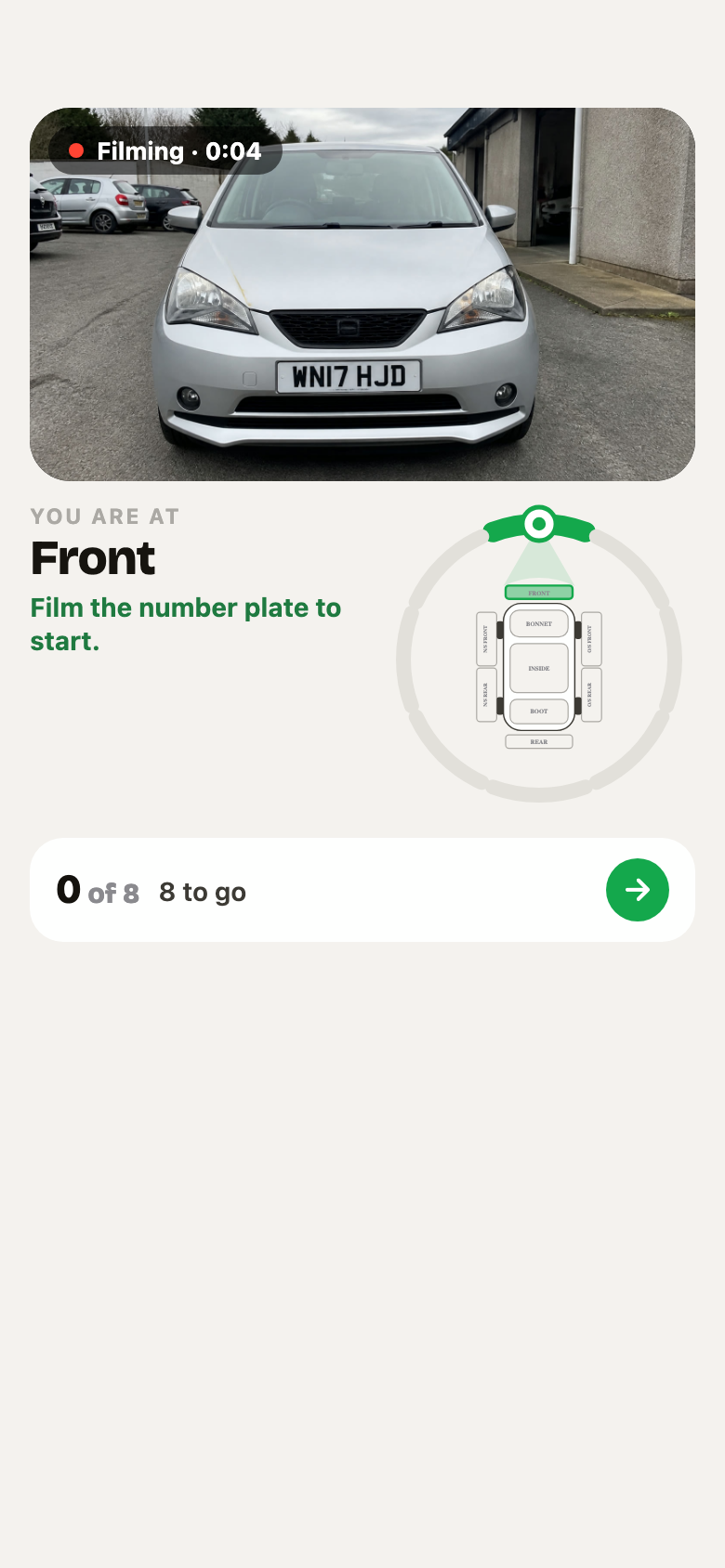 Before the walk starts, the screen asks for the number plate.
What the screen tells you
- You are at. The place the camera points at, for example Offside rear wheel.
- The sign in the middle of the camera. A spinner while the phone looks for the number plate. A yellow hand means hold still: the white ring round it fills while the phone takes that side's photo. A green tick means the photo is kept, and the phone buzzes once.
- The arrow in the bottom corner. A green Walk on arrow points the short way to the next side. A yellow Back to the offside arrow means you walked past a side too fast and it has no photo yet.
- The ring. It has 8 sides. Grey is not filmed yet. Yellow is the side you are holding on. Green is a side with its photo. The car drawing in the middle lights the same way, and the dot shows where you stand.
- 3 of 8. How many sides are done. The arrow shows the short way to the sides you missed.
- The small photos. The phone keeps one photo of each side by itself. You do not press anything.
- Corner marks. When you name a part ("this wheel"), four corners may go round it on the screen. They show that the phone sees it.
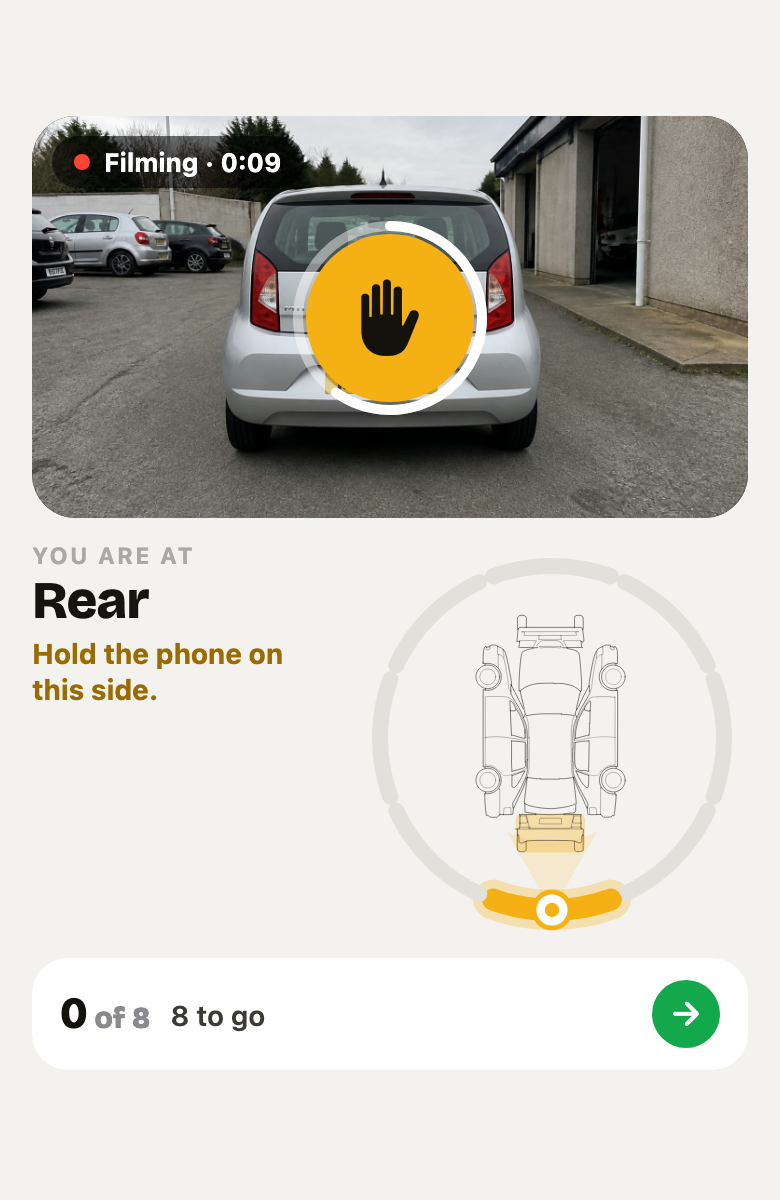 The plate says rear. Hold still: the rear is yellow until its photo is kept.
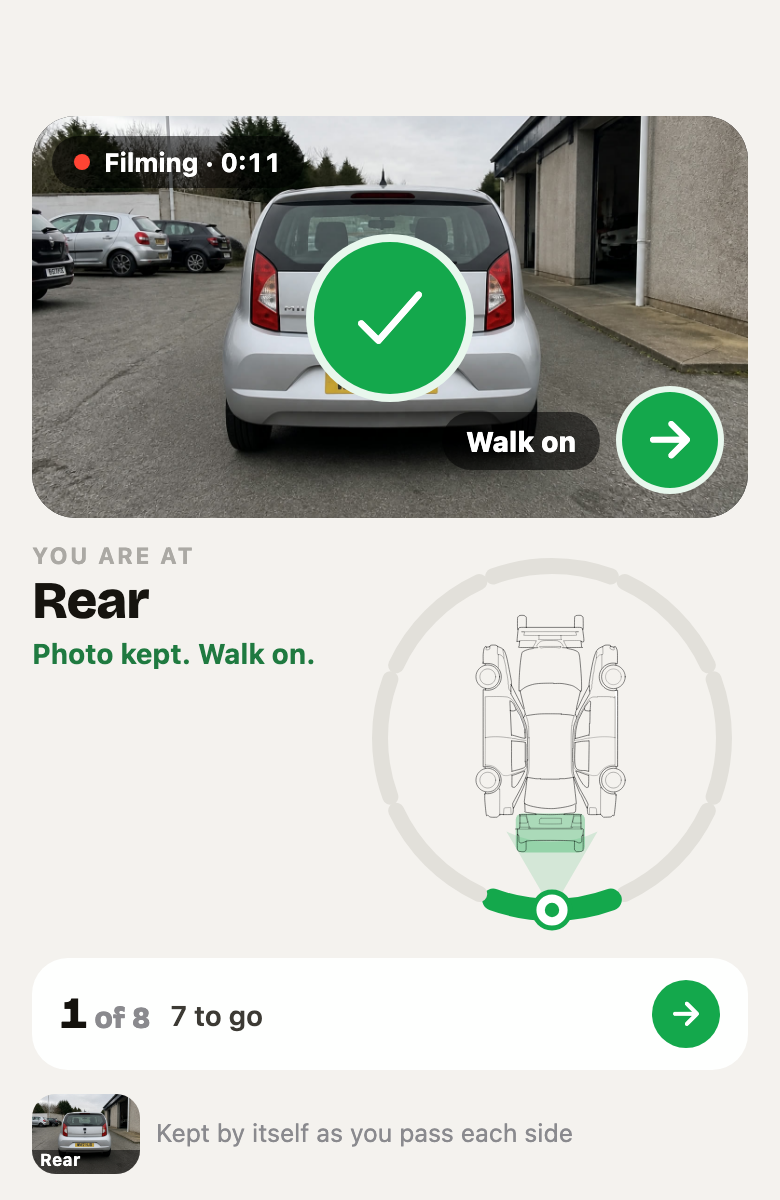 The rear photo is kept. The tick shows, and the arrow says which way to walk.
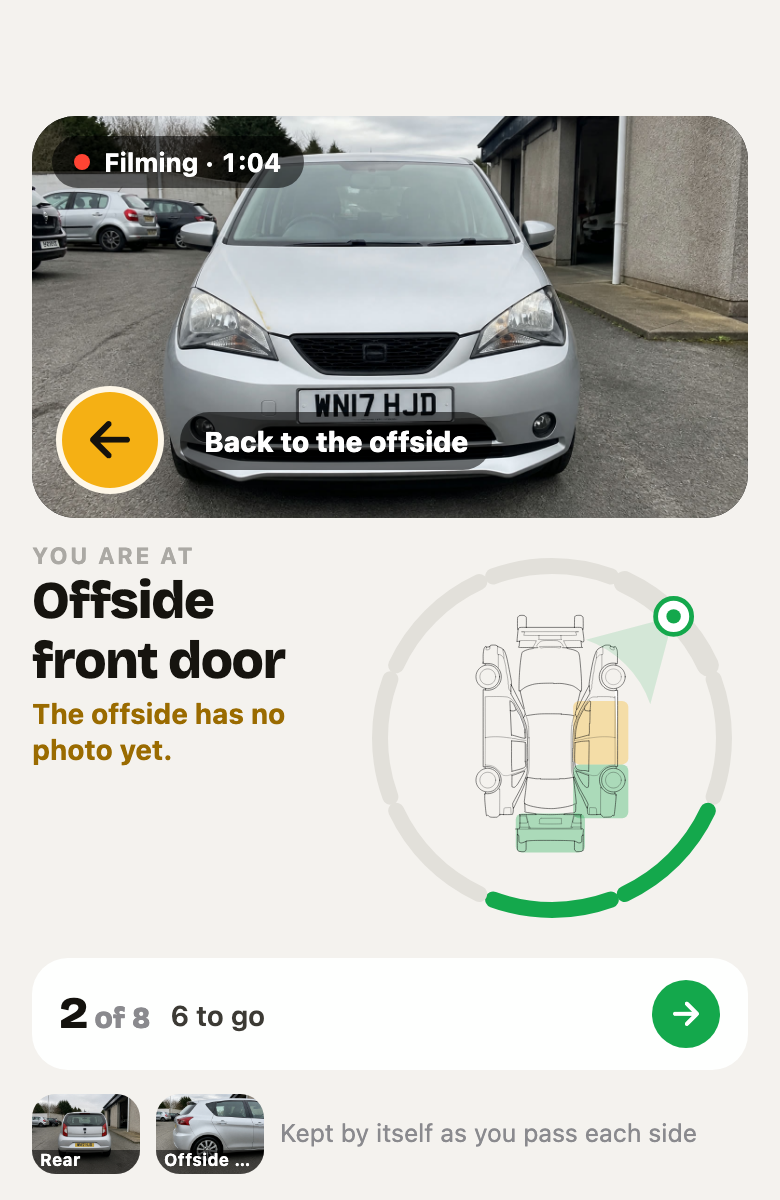 The offside was walked past with no photo. The yellow arrow says go back to it.
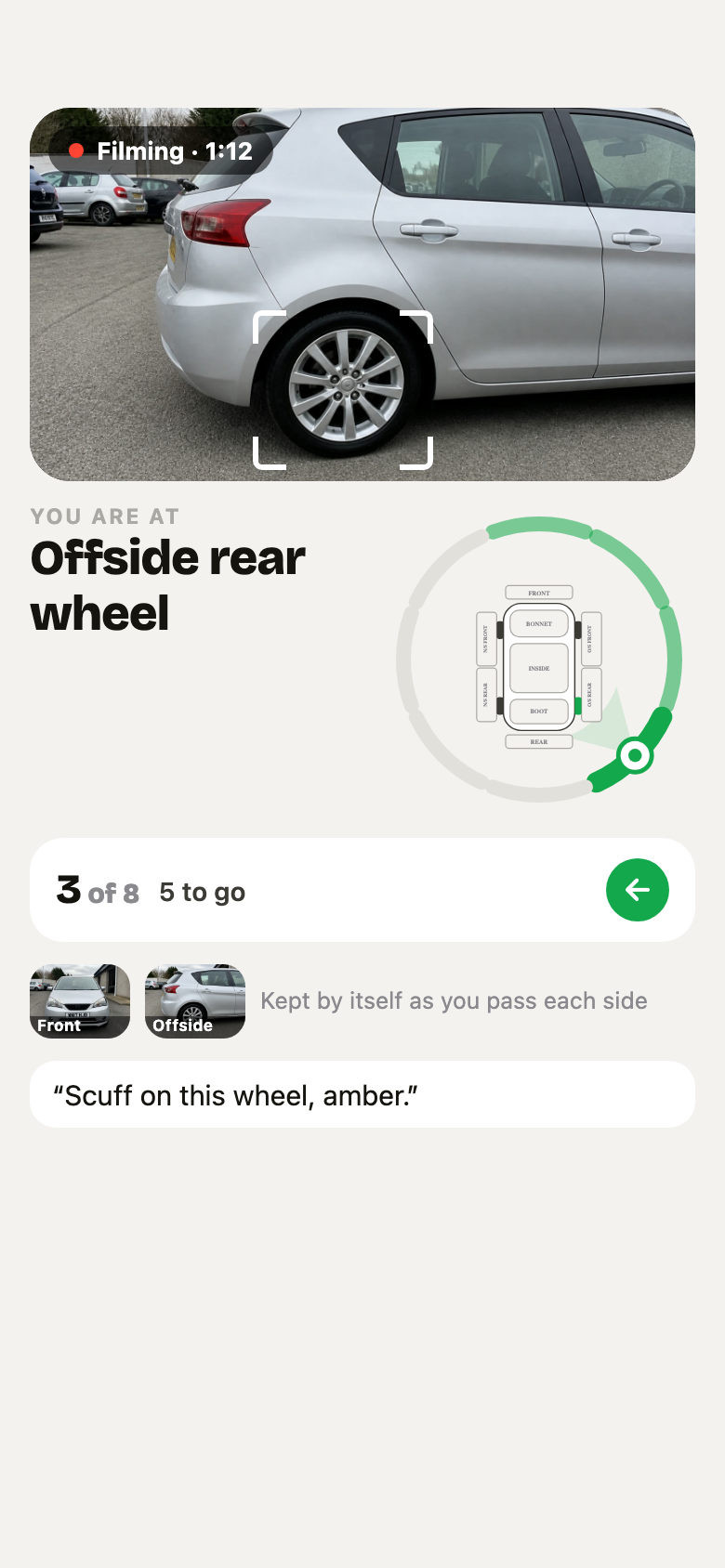 Three sides are done. The person is at the offside rear and is talking about the wheel.
When all 8 sides are done, the card says so. You can stop then, or carry on talking.
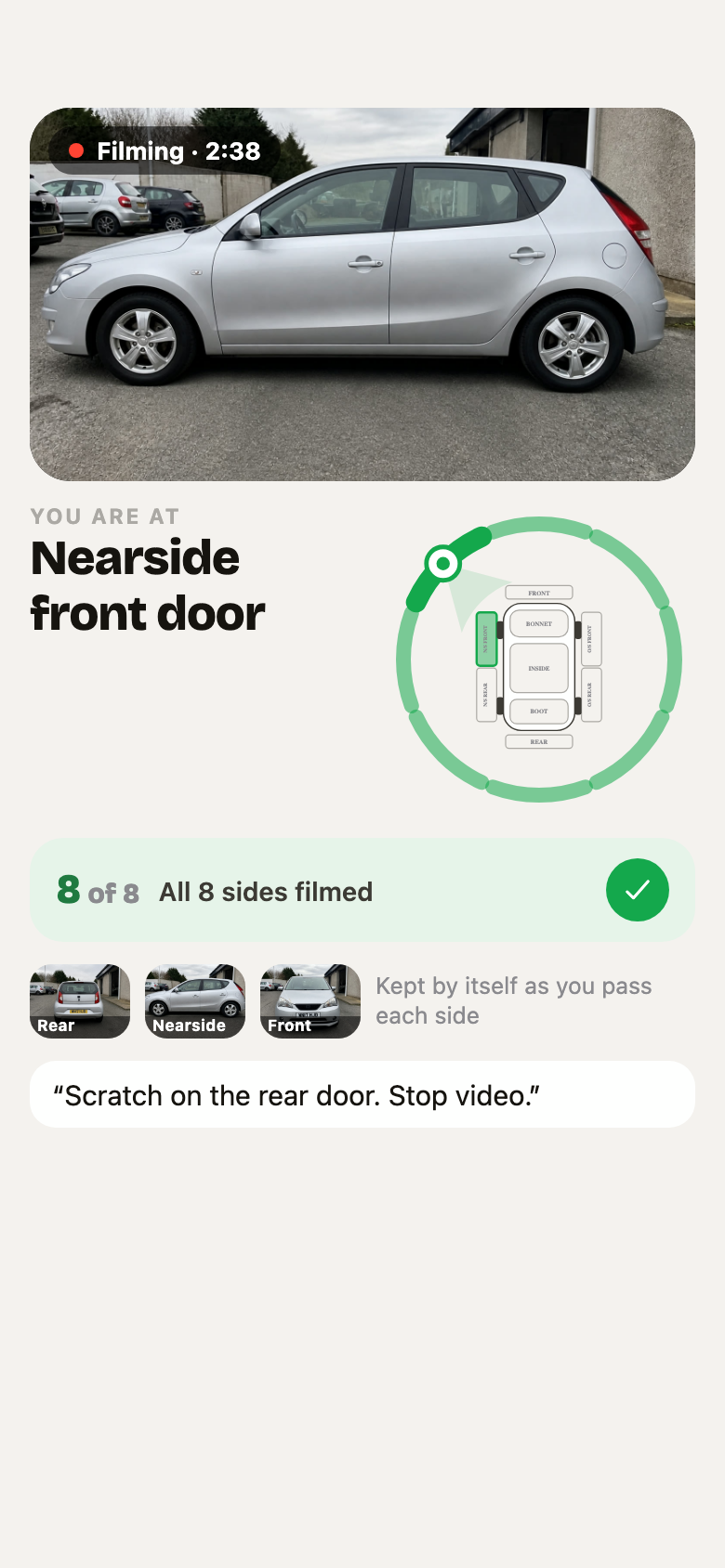 All 8 sides filmed. The ring is full and the card has a tick.
Say what it is. The phone knows where
You do not have to say which side you are on. Say "scratch on the door" at the nearside rear, and the record says Nearside rear door. Say "scuff on this wheel, amber" at the offside rear, and the record says Offside rear wheel.
- Your words say what. A word does not move the ring. "Exhaust" does not mean you went under the car.
- The walk says where. Photo titles and notes take the side from where you were standing when you said the words.
- Say a side when you want to. If you say a side, your words win for that remark.
- Say a grade. "Amber" or "red" with a fault puts it on the check as a finding, even when no item on the list covers it. A person then decides what to do about it.
Nearside is the passenger side. Offside is the driver's side.
Inside the car and underneath
The ring waits while you do these, then carries on by itself when you come out.
- Inside. Get in the car. Read out the mileage and film the dashboard. The photo of the dashboard gives the mileage, fuel and warning lights.
- Underneath. Stand next to the car and tilt the camera up, with the car on a ramp. Or put the phone down low beside the car. Saying "underneath" is not enough.
What happens when you send it
The check-in fills itself in. There is no list to tick:
- What the walk found goes on the record, with the photo it came from. You can correct any of it.
- If the photo and your words disagree (the mileage, for example), the phone asks you.
- The phone asks at most 3 questions, for example about the keys, which no camera can see.
- The check-in closes itself. The health check stays open, because it can become paid work. A finding reaches a quote only when a person adds it.
- Send to the customer is still one press by a person.
The hand back
When the work is done, press Hand back on the job and walk round again. Now each side shows two photos: the check-in on the left and the hand back on the right. Anything you marked at the check-in is written under that side.
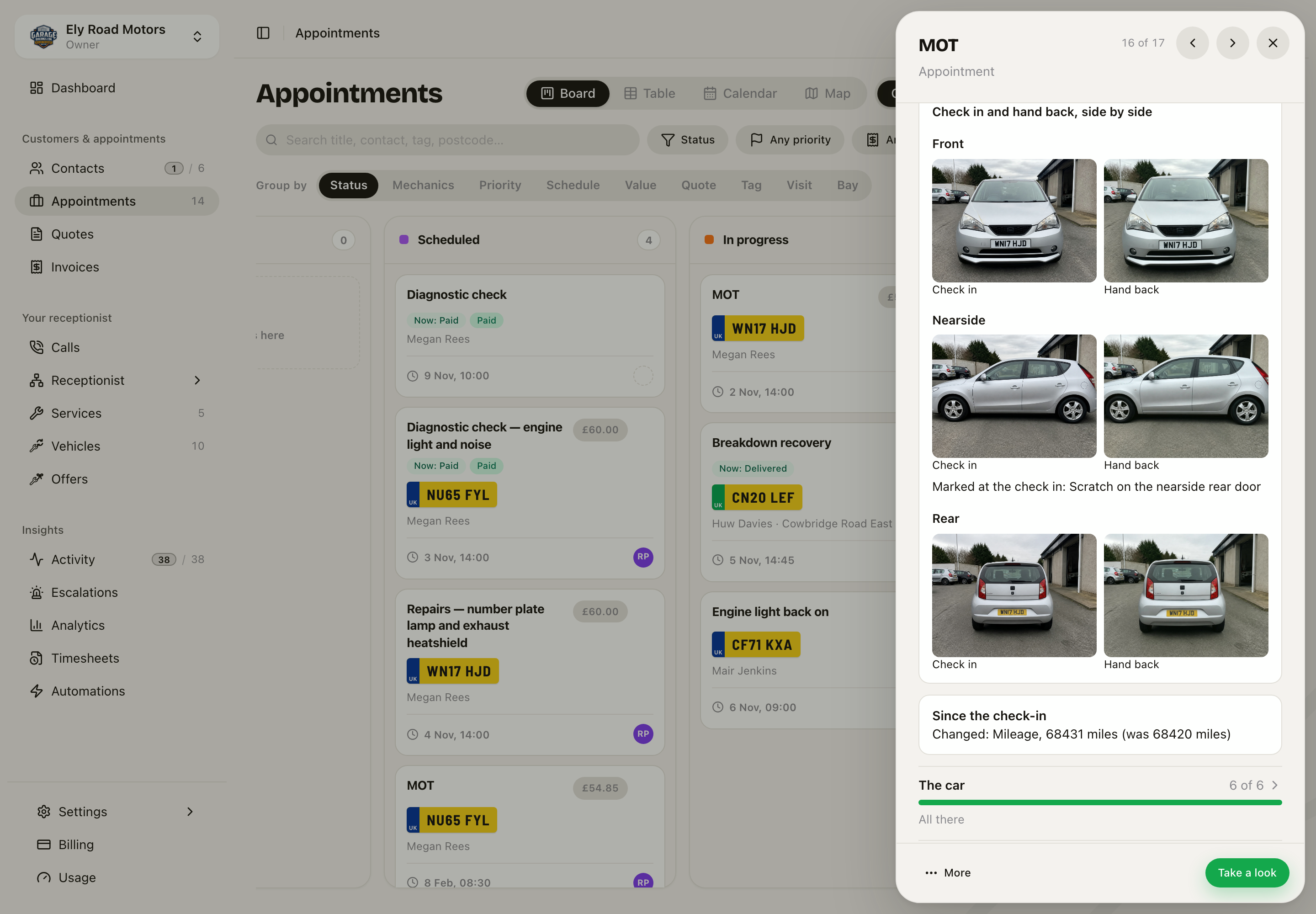 On the job sheet, each side has its check-in photo and its hand-back photo. Under Nearside, the scratch marked at the check-in.
The phone shows the same photos on the job. Tap a photo to see it full screen.
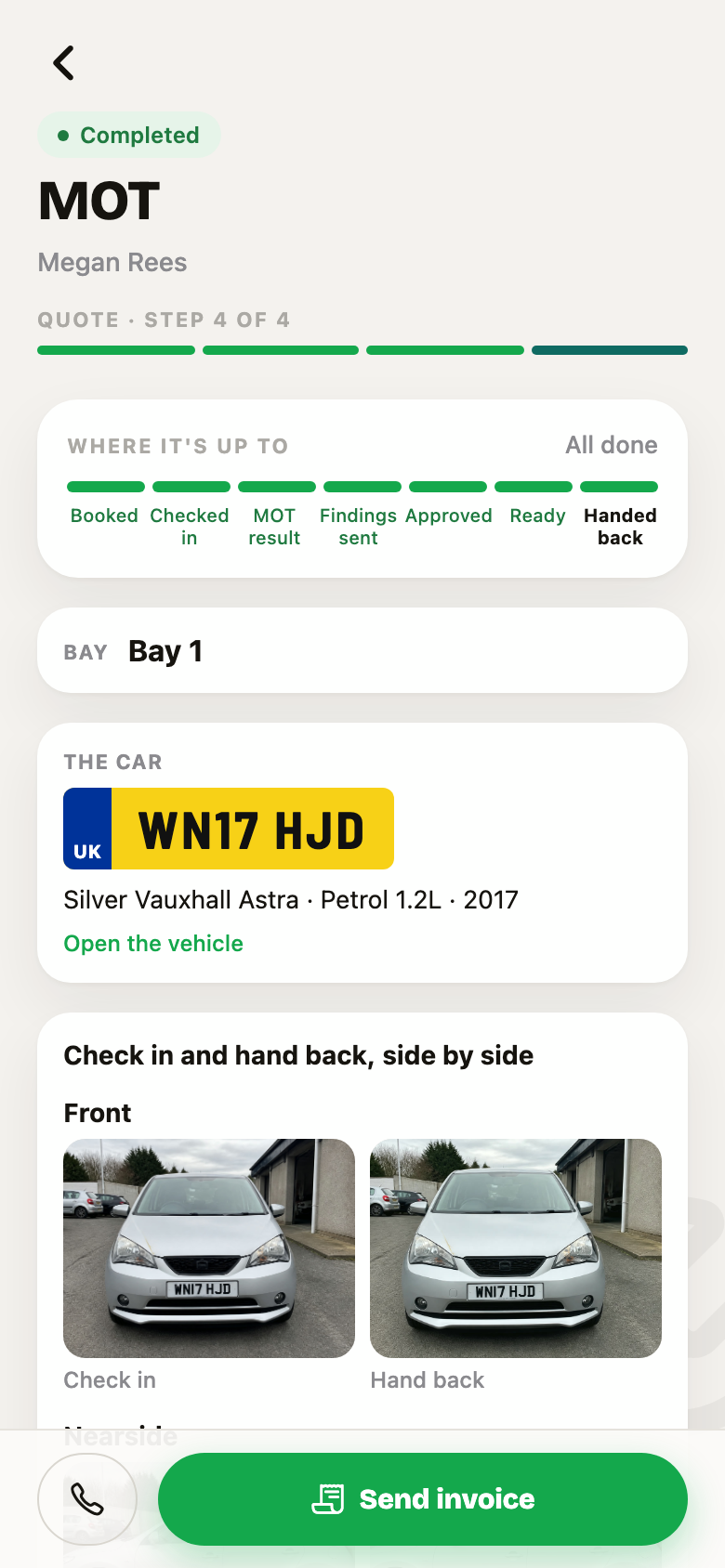 The same comparison on the phone.
A person compares the photos. No model decides if something is new damage.
What it cannot do yet
- It has not been tried on a ramp. Underneath is the least tested part.
- Vans and long cars. The phone works out where the camera points from a box the size of a normal car (4.4 m by 1.8 m). We have not tried a van yet, and the part it names may be wrong on one.
- If the phone loses track of the car, the ring can go wrong and it cannot correct itself on that walk. Look at the ring. If it is wrong, say so in the note.
- Tight spaces. On our test iPhone 11 the camera has no wide lens during the walk. Stand further back.
- Other kinds of business. A letting agent's inventory could use the same ring, with the walls of a room as the sides. It is not switched on.
Good to know
- Another car parked close to the front or the rear? Film the number plate from the corner. The app keeps that photo for the front or the rear. Your place on the ring does not change.
- A side you did not walk stays empty on the record. A photo from the corner does not count for the side.
- Stand back far enough that the photo of each side shows that side. Walking up close to a door can give a close-up in place of the side.
- You can walk in either direction, and you can go back. Each side keeps its first photo.
- See Checks and findings for what happens to the record, and Vehicles for the car itself.