 Loyal Receptionist
A garage comes back to the car, not to an address. So the car is known by its number plate, and everything you learn about it stays on it.
This page is for a business set up as Garage & MOT. Another business never sees any of it.
The Vehicles list
Open Vehicles in the menu. Every car you have seen is here, with what comes round on it next (an MOT, a service) and whose it is.
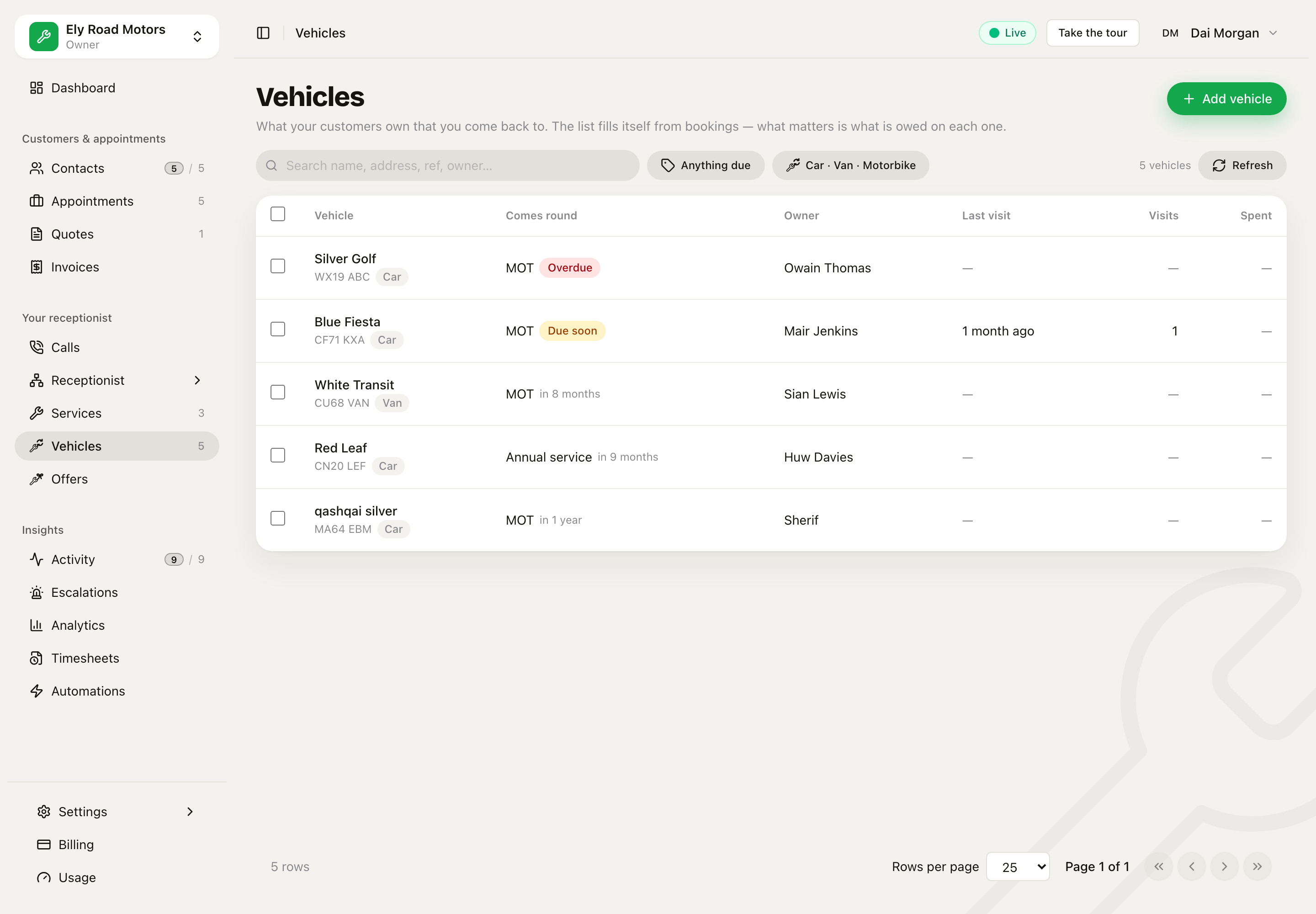 Each car with its plate, what comes round next, and its owner. An overdue MOT is red.
You rarely add a car by hand. A booking with a registration finds the car, or makes it the first time.
A car's sheet
Click a car to open its sheet:
- The plate, drawn as a real UK plate. An electric or hydrogen car gets the green flash on the left.
- About the vehicle: make, model, colour, fuel, year, and the last mileage, which each check-in updates.
- Found out on its jobs: what earlier visits answered, offered back on the next one.
- Comes round: the MOT and the service, plus anything the customer said "not now" to, and any MOT retest.
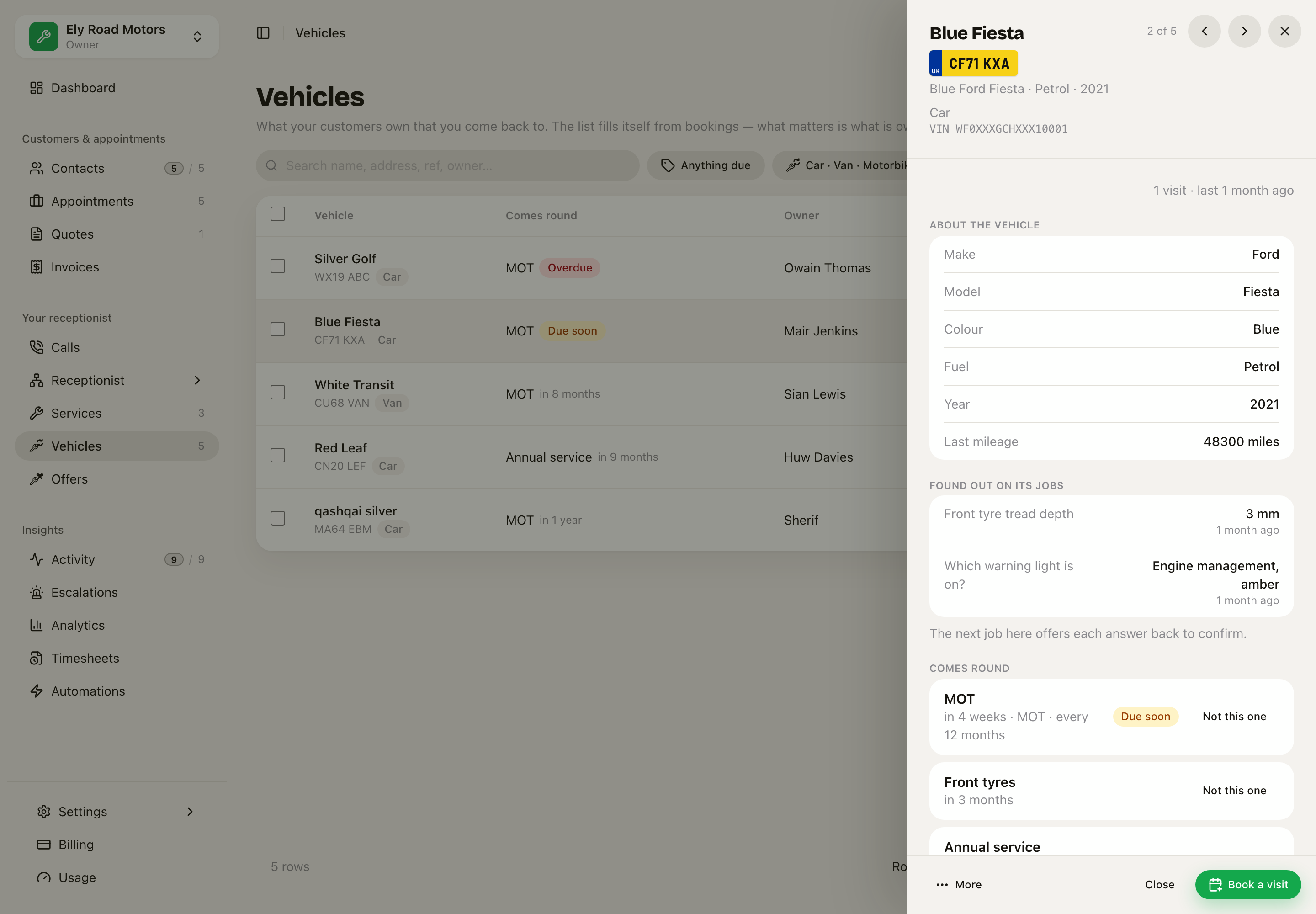 The Blue Fiesta: its plate, what it is, what earlier jobs found, and what comes round.
Adding a car fills itself in
Click Add vehicle and type the registration. When you move to the next box, the empty fields fill from the car's MOT record: make, model, colour, fuel and year, and the MOT expiry. Nothing you typed is ever replaced.
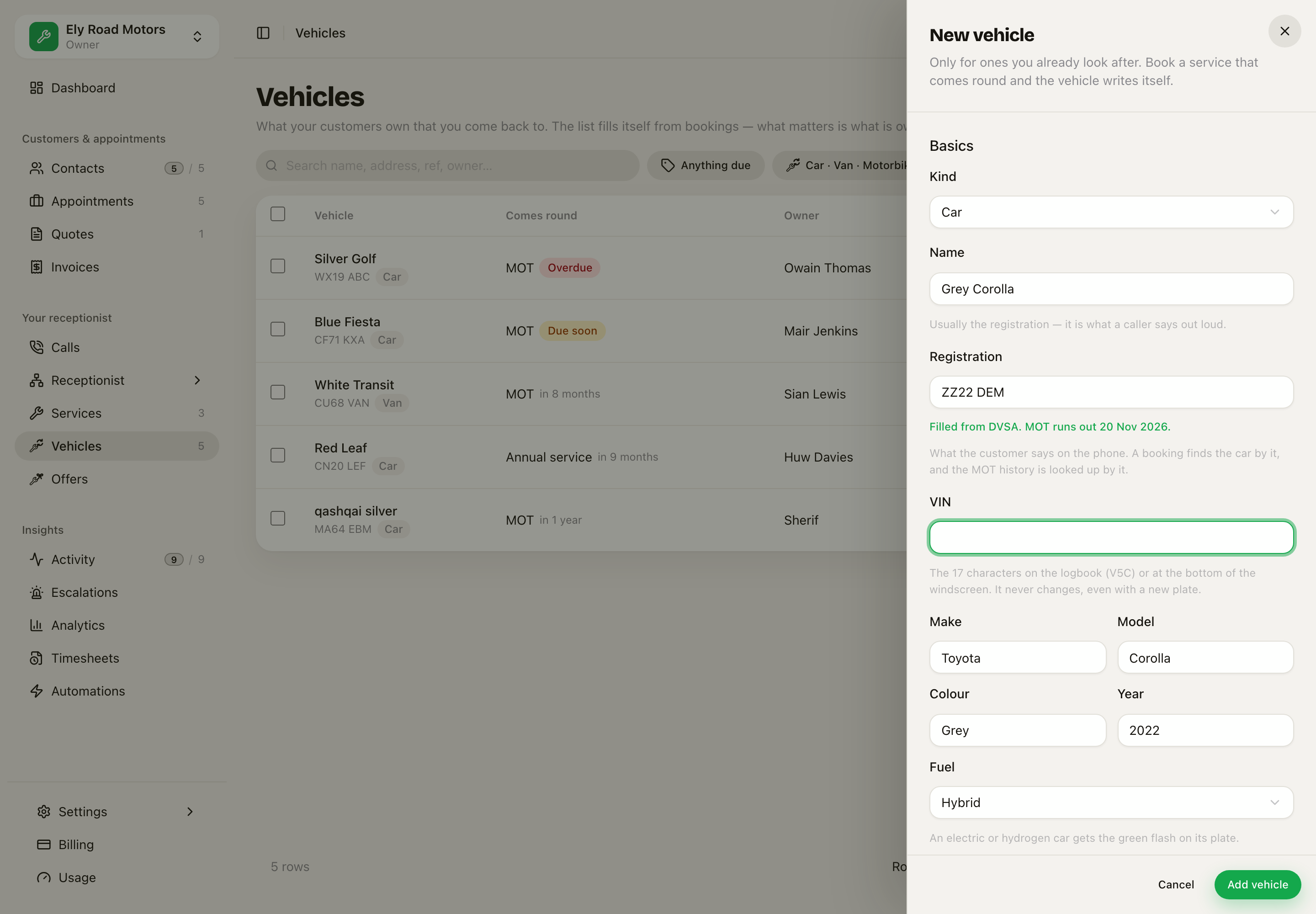 Type the plate and the form fills from DVSA. It says when the MOT runs out.
This needs the DVSA MOT History keys. Until they are set, the form only fills from cars you already have.
The car on a booking
On New appointment, the car comes straight after the contact, because it is the first thing anybody says. The registration box looks like a plate. Type part of it and your cars appear underneath. If the car is new, click Add new vehicle and it is made and filled in, ready for the job.
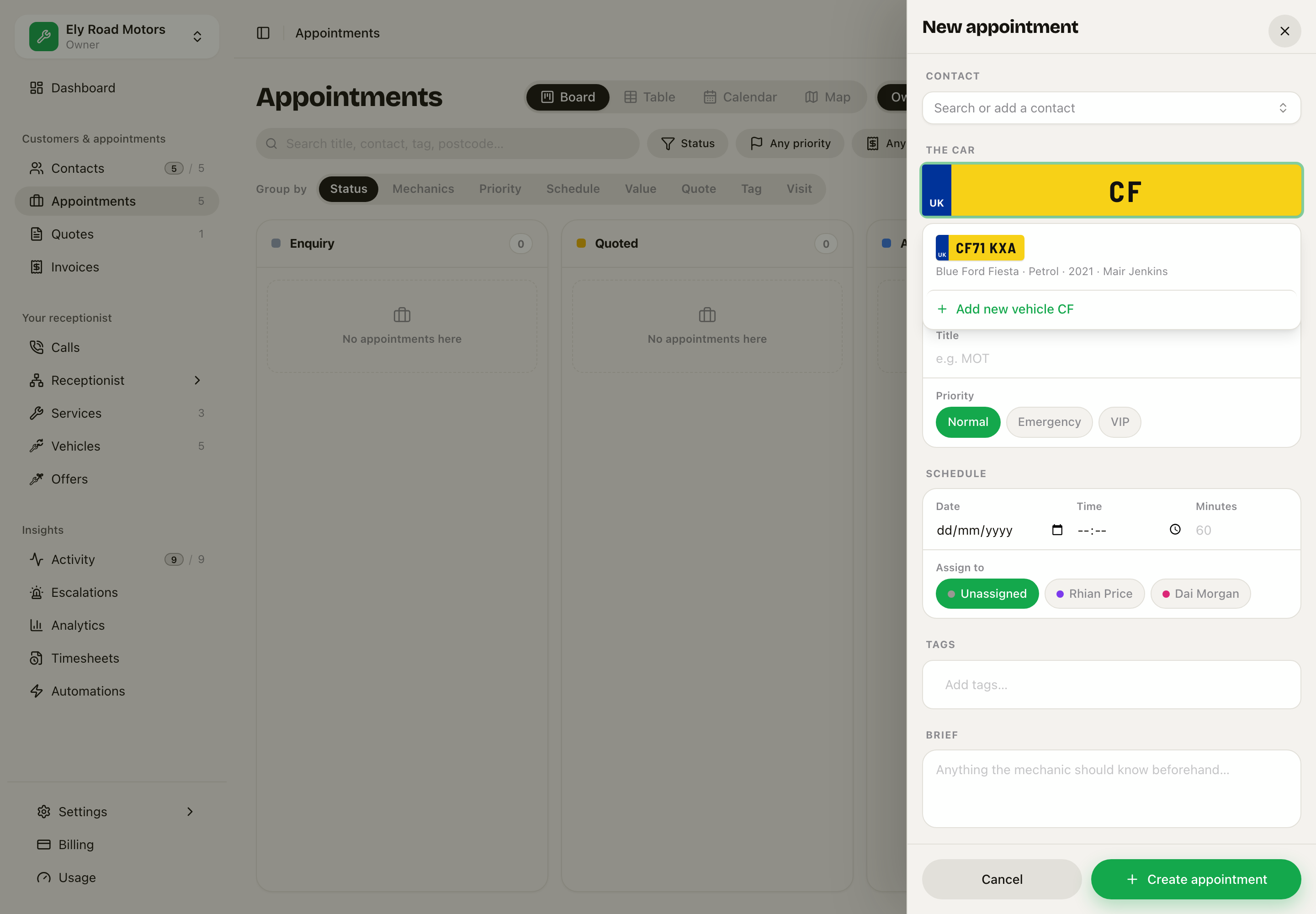 Typing CF shows the Blue Fiesta. Add new vehicle makes a car that is not on the list yet.
A garage booking has no Where box: the car comes to you.
On the board, every card shows its car's plate above the customer's name.
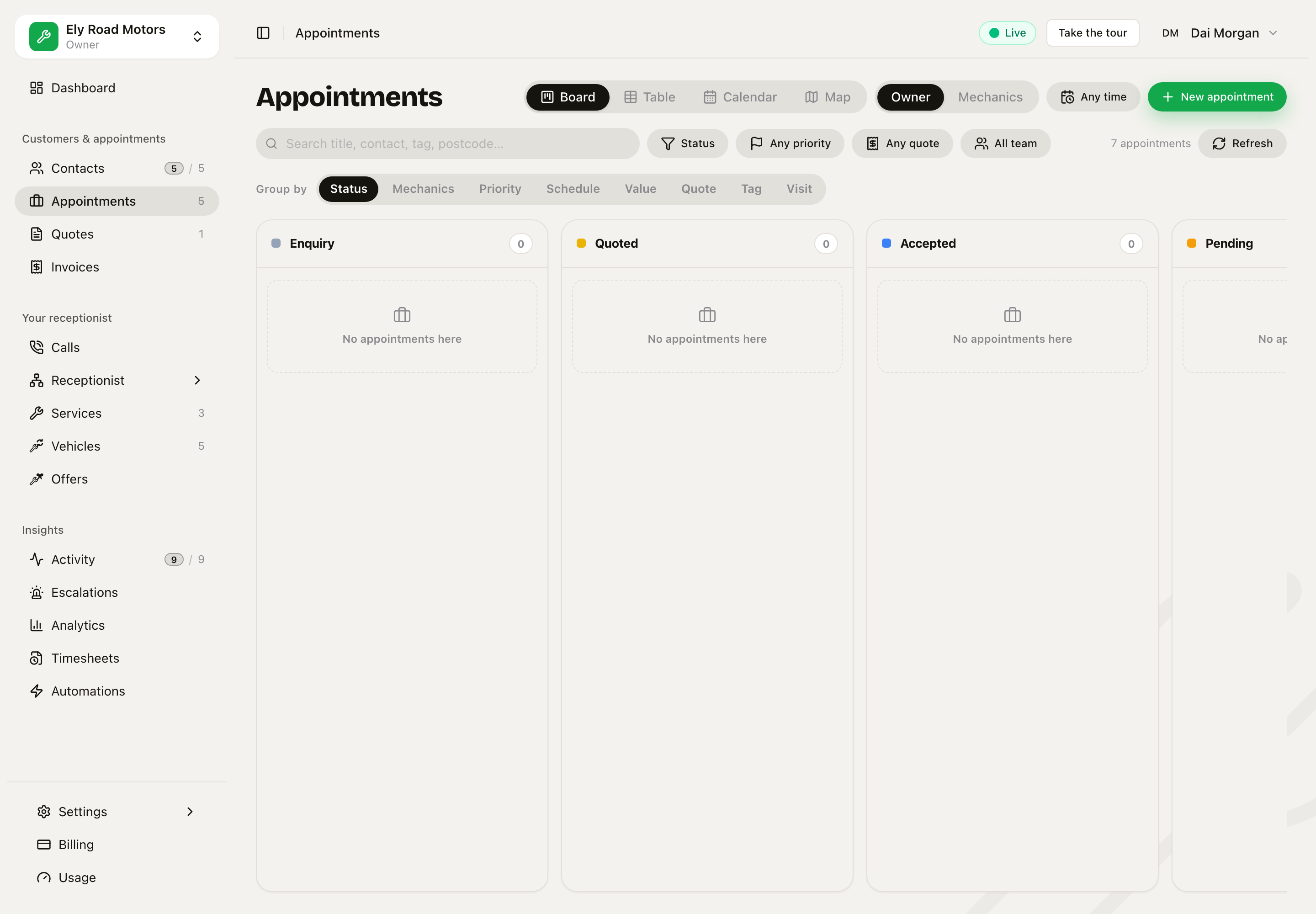 Each appointment shows its plate. The Nissan Leaf's plate has the green flash.
What Sarah does on a call
- She asks for the registration first, before the name and number.
- She says "Give me a second to look that up", then tells the caller what the car is and its MOT news: "That's a blue Ford Fiesta from 2021. Its MOT runs out in 20 days, so we should get that booked."
- If the MOT runs out within 30 days, or has run out, she offers to book it as well as what they rang about. If they say no, she leaves it.
- She never says who owns a car because of its plate. Anybody can read a plate.
- On your own line, she can say whose car it is, so you do not have to give the customer's name and number again.
On the phone app
The job list, the job screen and the vehicle screen all show the plate. The job screen has The car card with what it is and Open the vehicle. Appointments has a Vehicles switch with every car by plate, and a car's own screen keeps its plate in the top bar as you scroll.
Press Check the car in on the job to walk round the car: see Walk round the car and Checks and findings.
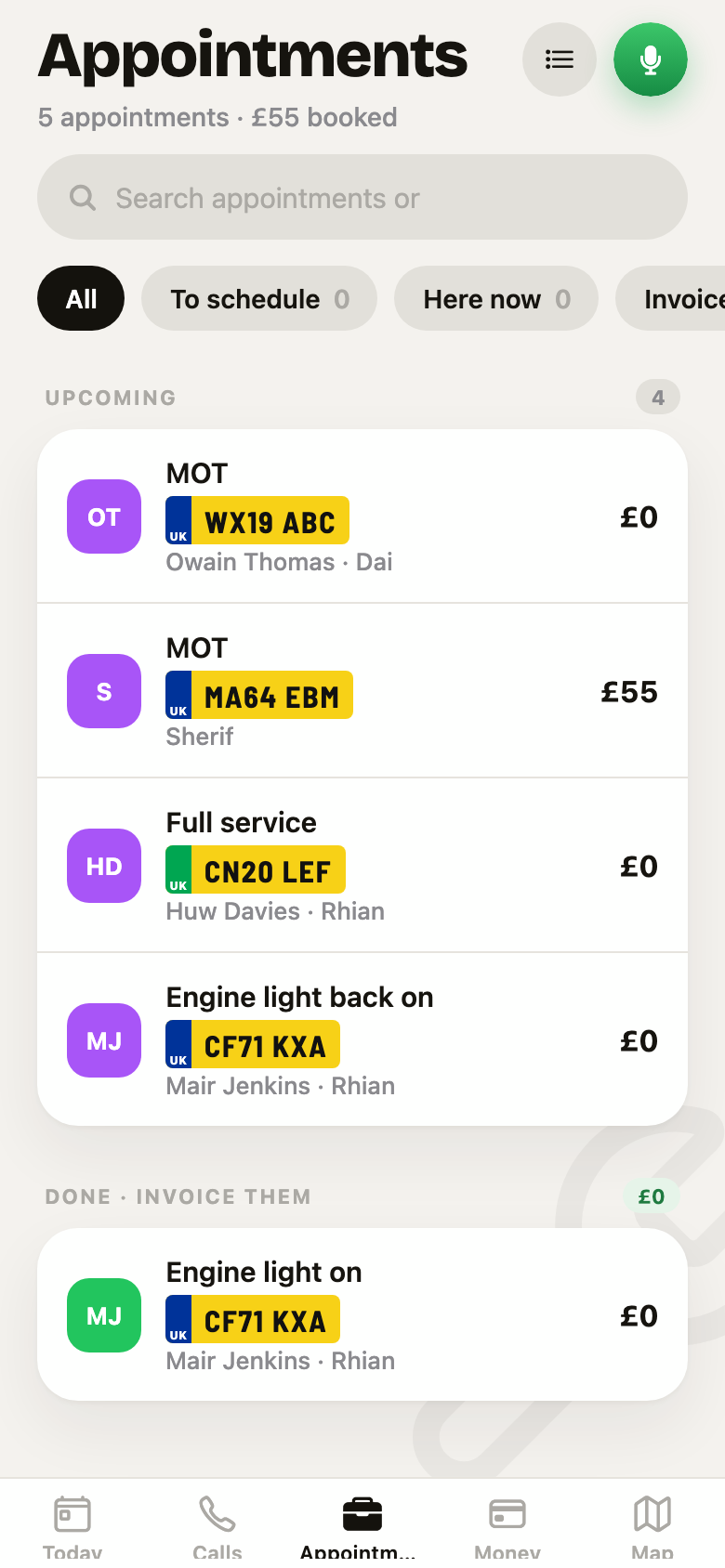 The phone's appointment list with each car's plate.
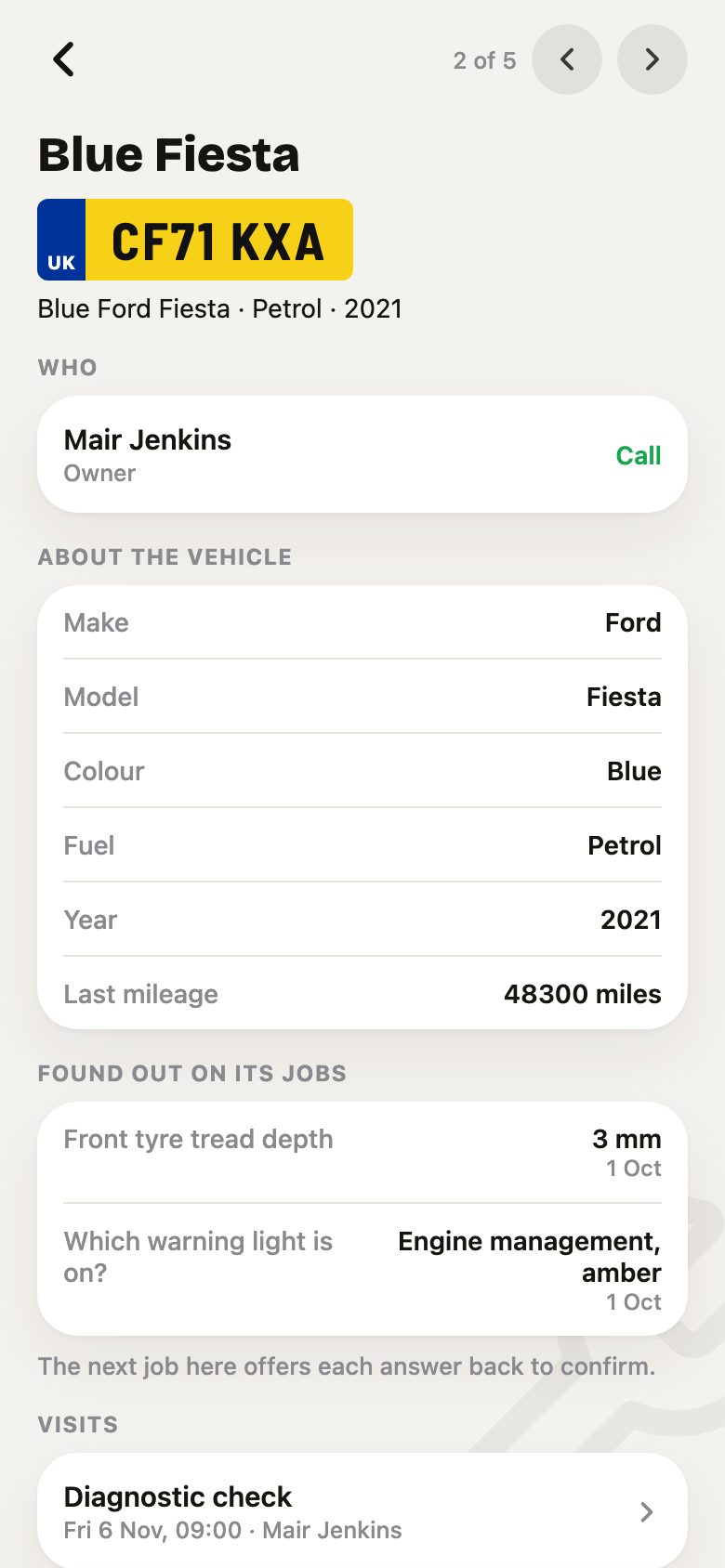 The Blue Fiesta on the phone: plate, what it is, owner, and About the vehicle.
Related: Checks and findings for the check-in and the health check, and Where it is up to for what the customer sees while their car is with you.