 Loyal Receptionist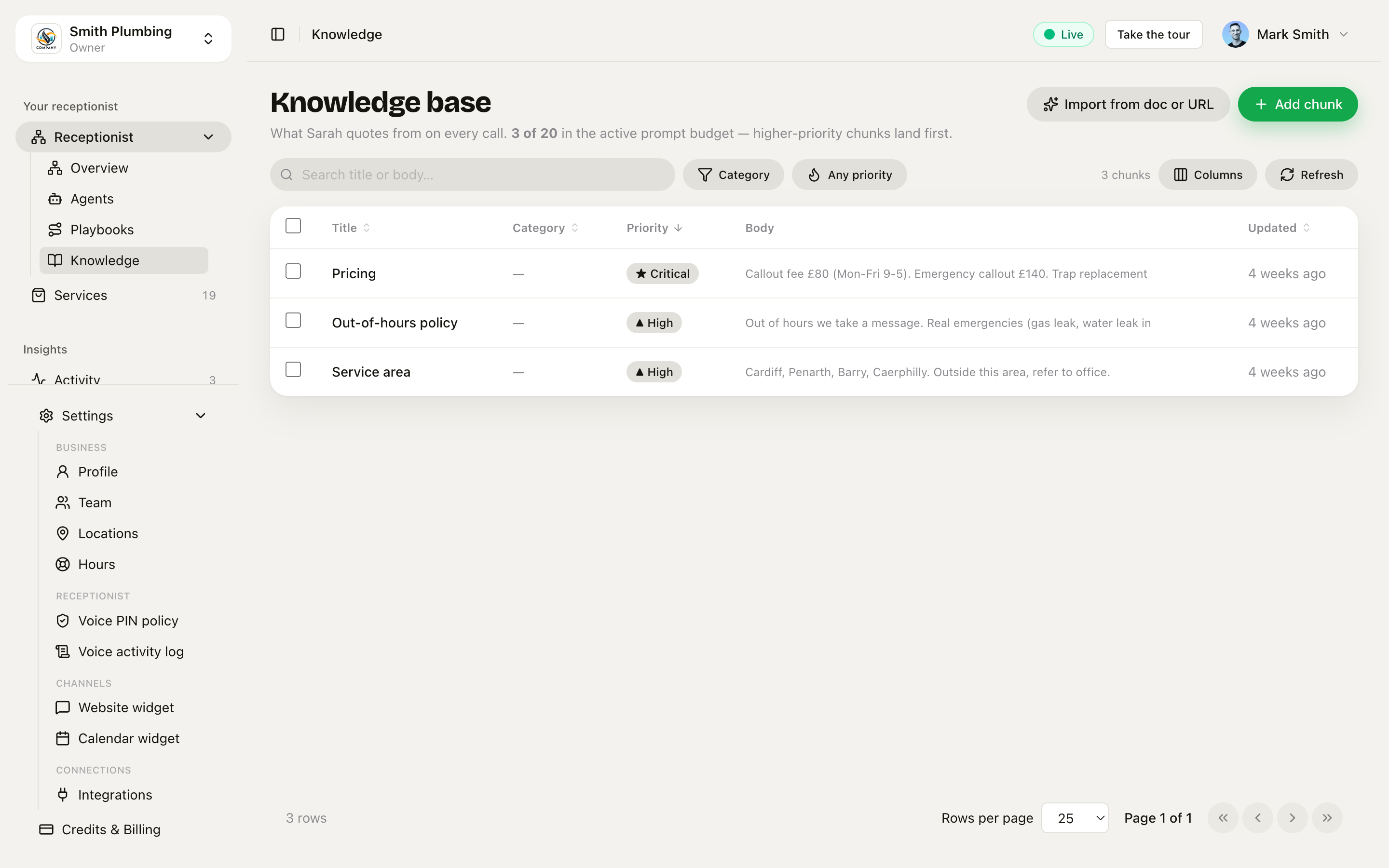
Knowledge base
The knowledge base is what your business is — pricing, service area, opening hours, terms, the things your AI is allowed to say. If it isn't in here, your agent will refuse to commit and offer to ring the office back.
Live at /knowledge in the sidebar.
Three places knowledge can live
The split matters because they belong to different things in your head:
| Surface | What goes here | Why |
|---|---|---|
/knowledge (org-wide) | Pricing. Service area. Out-of-hours policy. T&Cs. What you don't do. Current promo. Parking instructions for your shop. | These belong to the business. If you hire a second agent ("Bryn for nights") both should quote the same callout fee without you re-typing it. |
/agents/[id] → Behaviour tab | Greeting wording. Sign-off. Name pronunciations ("Caerphilly" is "car-FILL-ee"). "Always ask for the postcode before booking." How this specific agent talks. | Per-agent tone, not facts. |
/knowledge chunk with a Playbook scope set | Install-only objection handling that only fires on the install-sales playbook. Tenant-exit deposit rules that only fire on the tenant-exit playbook. Anything situation-specific that would pollute Sarah's regular calls if shown everywhere. | Lets Sarah keep one shared persona but have playbook-specific knowledge that doesn't muddy unrelated calls. See Playbooks. |
All three flow into the same prompt at call time. The split is for you (so you know where to put things), not for the AI.
Adding a chunk
Open /knowledge and click + Add chunk. A drawer slides in from the right:
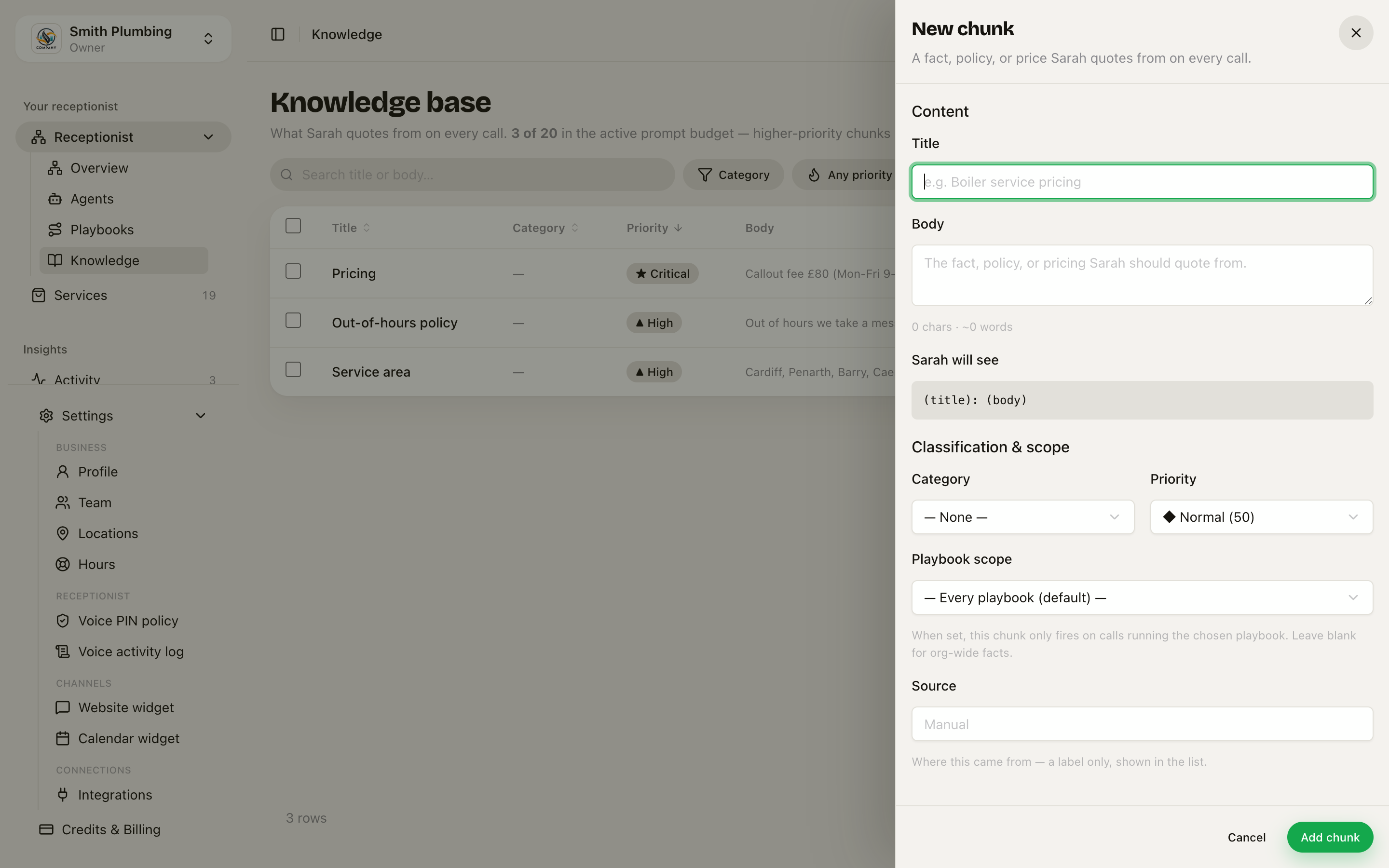 The New chunk drawer — Title, Body, and a live 'Sarah will see' preview, with Category / Priority / Playbook scope / Source below.
| Field | What it does |
|---|---|
| Title | Short heading, e.g. "Boiler service pricing". Shown in the prompt as the heading for this block — the AI uses it to know what the chunk covers. |
| Body | The actual text. Plain English. Aim for under 400 chars per chunk — short and specific beats long and waffly. Numbers are king (£80, 60 minutes, 30 mile radius). |
| Category | Optional grouping label (Pricing, Policy, Promo…) for keeping the list scannable as it grows. |
| Priority | Four tiers: Low / Normal / High / Critical. Higher tiers are loaded first — the top 20 chunks make it into every call's prompt. Pricing should be Critical. Promos and policies High. Background colour Normal or Low. |
| Playbook scope | "Every playbook (default)" or a specific playbook. When set, this chunk only fires on calls running the chosen playbook. The picker only appears once you have at least one playbook in /intents. |
| Source | Where this came from — a label only, shown in the list. Imports fill it in automatically; manual chunks default to "Manual". |
Under the Body field, a live "Sarah will see" preview shows exactly how the chunk reads once it lands in the prompt — title, colon, body. If it reads oddly there, it'll read oddly on the call.
Save, and the next call your agent answers will see it.
The four priority tiers replace the old 0–100 number on this page. The numeric 0–100 editor survives only on the agent Behaviour tab — see Agents & services.
Setting a Playbook scope on a chunk
- "Every playbook (default)" — the chunk fires regardless of which playbook the call is running. This is what you want for most facts.
- Pick a playbook — the chunk only fires when that exact playbook is active. Other calls don't see it.
Three-axis scoping: a chunk fires when (agent matches OR no agent scope) AND (playbook matches OR no playbook scope). So you can target "Sarah running install-sales" specifically, or "any agent on the install-sales playbook", or stay org-wide.
Import from doc or URL
Instead of typing chunks one by one, click Import from doc or URL (the sparkles button next to + Add chunk). The dialog has three tabs:
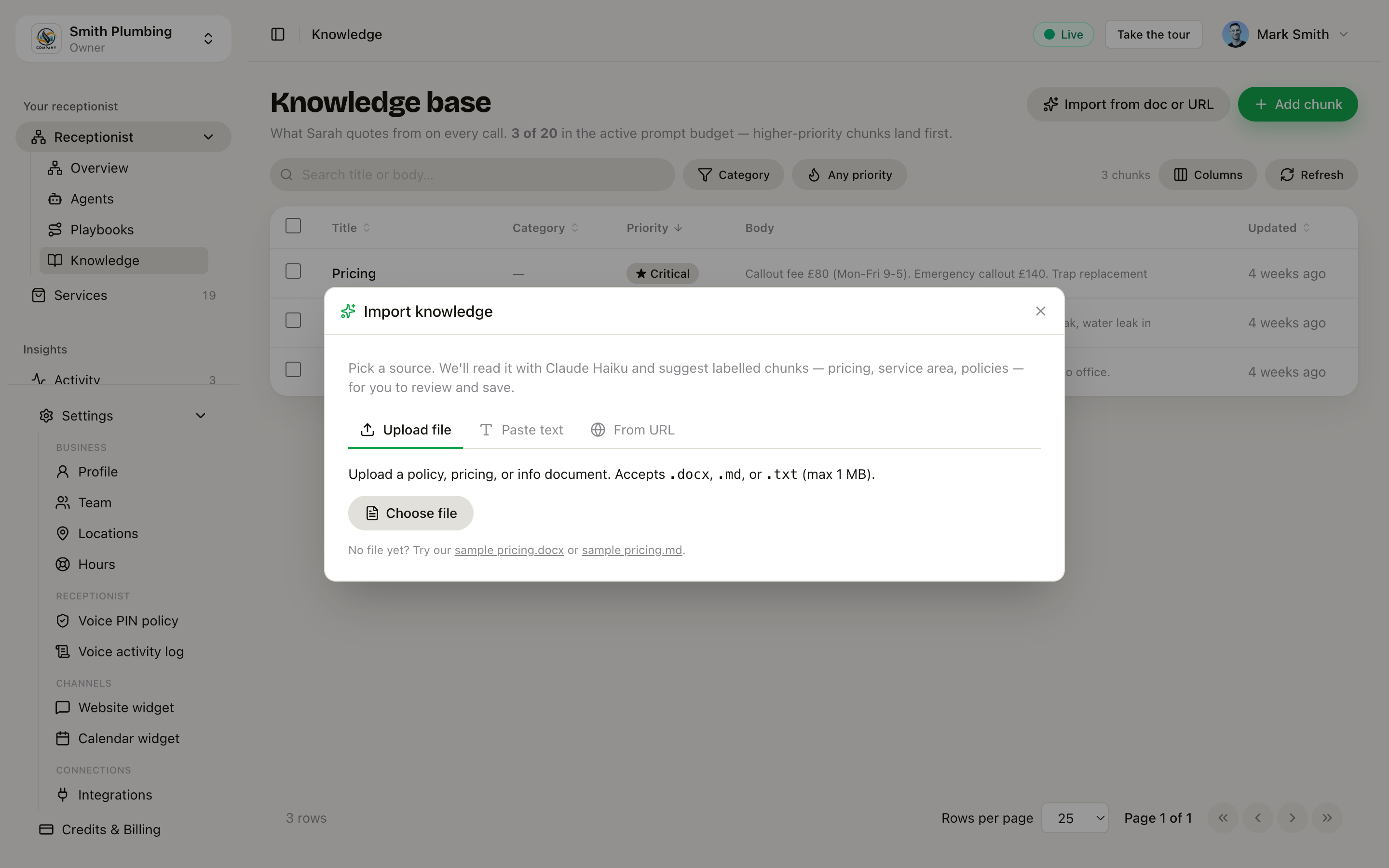 The import dialog — File, Paste text, and From URL tabs. The AI extracts chunks for you to review before anything is saved.
| Tab | What it takes |
|---|---|
| File | A .docx, .md, or .txt file, up to ~1 MB. Word documents work directly — no converting first. |
| Paste text | Your policy, pricing notes, T&Cs — anything Sarah should quote. Paste and go. |
| From URL | A link to a page on your site (https:// only). We crawl the linked pages too — FAQ, About, policy pages live under sub-paths more often than on the homepage. |
Whichever route you pick, the AI reads the content and proposes a set of chunks — each with a title, body, category, and priority already filled in. Nothing is saved until you review and apply, and each apply takes up to 30 chunks. Review the proposals, drop what you don't want, then apply.
PDF isn't supported — export to Word or Markdown first, or paste the text.
Knowledge vs Services — which goes where
Two surfaces, two jobs. The split:
| If you're writing… | Put it in |
|---|---|
| A bookable thing with a duration and price ("Boiler service", "Tap replacement") | Services |
| A fact you want quoted on demand ("our callout fee is £80", "we cover Cardiff and Penarth") | Knowledge |
The matching is different too: services are looked up via get_price_estimate (word-level match on name + description); knowledge is injected wholesale into the prompt so Sarah quotes it verbatim. If you're not sure, the rule is: discrete priceable thing → service, fuzzy business fact → knowledge.
Editing and deleting
The listing is a sortable table — click any row to open its drawer and edit the title, body, category, priority tier, playbook scope, or source. Delete asks you to confirm first ("Delete "…"? This permanently removes the chunk.").
For a clear-out, tick the checkboxes on multiple rows and use the bulk Delete action — it confirms the count before anything goes.
What good chunks look like
Pull these from a real plumber's seed:
Title: Pricing        Priority: Critical
Body:  Callout fee £80 (Mon-Fri 9-5). Emergency callout £140.
       Trap replacement £60. Boiler service £120. Parts at cost + 20%.

Title: Service area   Priority: High
Body:  Cardiff, Penarth, Barry, Caerphilly. Outside this area,
       refer to office.

Title: Out-of-hours policy   Priority: High
Body:  Out of hours we take a message. Real emergencies (gas leak,
       water leak in winter) get the on-call number.
Three rules of thumb:
- Lead with the number. "£80 Mon-Fri 9-5" beats "Our callout fee is £80 during regular hours which are Monday through Friday from 9 to 5".
- Be willing to refuse. "We don't do drain unblocking — refer to RotoBrum" is gold. It saves you from a job you'd lose money on.
- Update when prices move. The agent quotes what's in the KB. If you raise your callout fee, change it here first.
How it reaches the call
When a call starts, the API queries agent_knowledge:
WHERE (agent_id IS NULL OR agent_id = <this agent>) AND (intent_id IS NULL OR intent_id = <this playbook>)— org-wide facts, this agent's behaviour chunks, and any chunks scoped to the call's playbookORDER BY priority DESC LIMIT 20
…and pastes the result into the system prompt under ## Knowledge base. The agent quotes from this list and is instructed not to invent prices that aren't in it.
If you've got more than 20 chunks total: only the top 20 by priority make it. Lower-priority chunks aren't lost, but they aren't visible to the agent until you bump them to a higher tier.
What's next
/docs/receptionist— the Receptionist hub: see exactly which chunks fire on each channel, and test the route live/docs/agents-and-services— the Behaviour tab and the wider agent settings/docs/playbooks— situation-specific rules and playbook-scoped knowledge/docs/glossary— terms used across the app